How to Automate Invoice Payment Chasing for UK SMEs: A Step-by-Step Guide
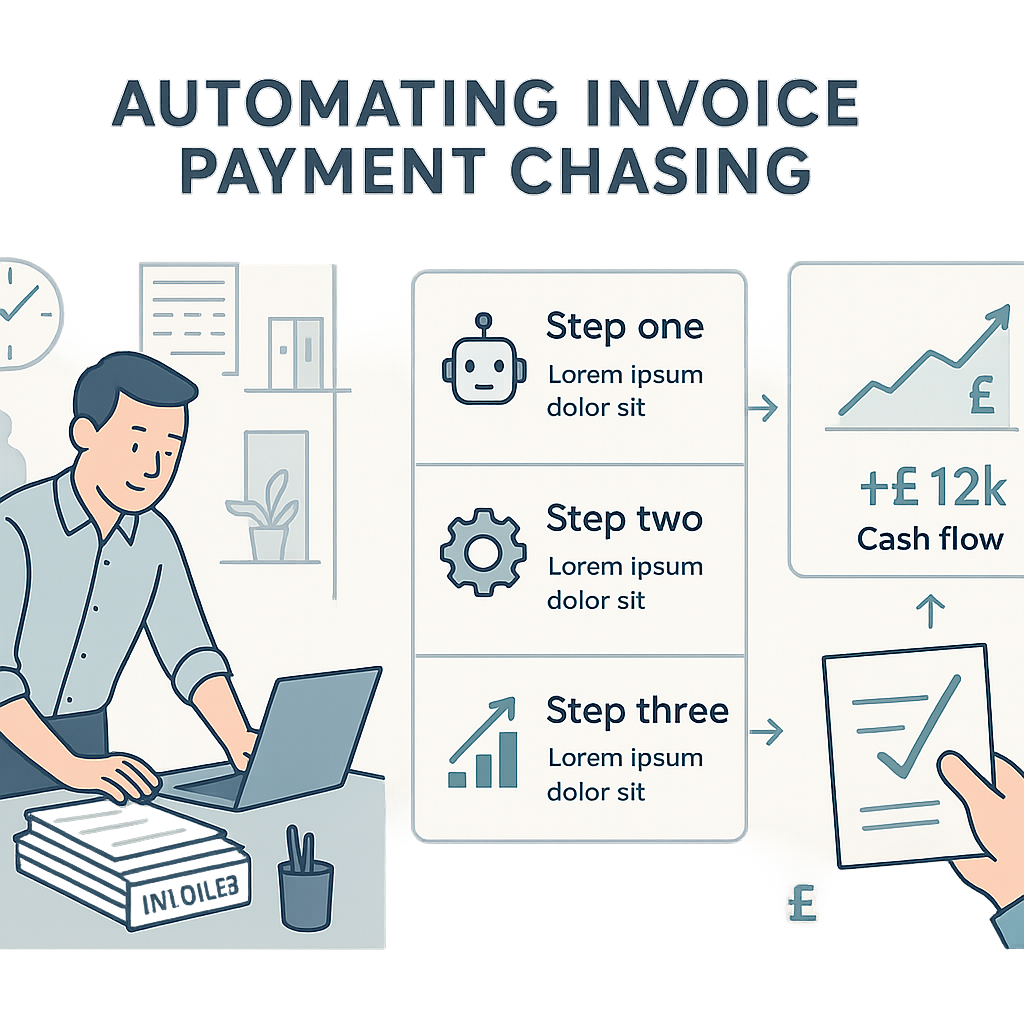
Late payments are draining cash flow and admin time from UK SMEs, but invoice payment chasing automation can change that.
Why UK SMEs Need Invoice Payment Chasing Automation
Invoice payment chasing automation for UK SMEs is transforming how businesses manage overdue invoices, reducing manual effort and accelerating payments. With late payments affecting over 60% of UK firms according to recent surveys, this technology addresses a critical pain point that hampers growth and stability.
Manual chasing involves endless emails, calls, and tracking spreadsheets, leading to errors, strained client relationships, and lost productivity. Automation streamlines this process by sending timely, personalised reminders automatically, ensuring consistency without the daily hassle.
This comprehensive guide provides a practical step-by-step approach to implementing invoice payment chasing automation, tailored specifically for UK SMEs. We cover everything from tool selection to GDPR compliance, helping you reclaim control over your cash flow efficiently and legally.
The Cost of Late Payments for UK SMEs
Late payments represent a persistent challenge for UK SMEs, with statistics from the Federation of Small Businesses indicating that over 60% of small firms experience payment delays beyond 30 days. The average overdue invoice sits unpaid for 23 days, directly squeezing cash flow and forcing many businesses to dip into overdrafts or delay their own supplier payments.
Beyond the financial hit, manual payment chasing consumes valuable admin time—often up to 10 hours per week for SMEs with 20-50 clients. This diverts focus from core activities like sales and service delivery, while errors in follow-ups can damage client relationships and lead to lost business.
The cumulative effect is stark: late payments cost the UK economy billions annually, with SMEs bearing the brunt through increased borrowing costs, stalled growth, and even insolvency risks in extreme cases.
- Average payment delay for UK SMEs: 23 days.
- 60%+ of small firms affected by late payments.
- Admin time wasted: up to 10 hours/week on chasing.
- Increased borrowing: 40% of SMEs resort to overdrafts.

Recent data shows UK SMEs lose £2.4 billion yearly to late payments, with 25% of invoices paid over 30 days late. Source: Federation of Small Businesses.
- Track your average payment terms and delays monthly.
- Calculate the true cost of late payments to your business.
Benefits of Invoice Payment Chasing Automation for UK SMEs
Invoice payment chasing automation delivers tangible benefits for UK SMEs, primarily by slashing admin time and boosting on-time payments by up to 30%, as reported by users of integrated tools. Instead of manual tracking, systems automatically monitor invoice due dates and trigger reminders, freeing staff for revenue-generating tasks.
Improved cash flow is another key advantage, with automated follow-ups reducing average payment times and minimising the need for costly short-term finance. SMEs using such systems often see payment rates rise from 70% to over 90% within months.
Moreover, automation maintains a professional tone in communications, using templated emails or SMS that are polite yet firm, preserving client relationships while ensuring accountability.
- Time savings: 80% reduction in chasing admin.
- Payment rate improvement: 20-30% faster collections.
- Better cash flow predictability.
- Fewer errors and consistent messaging.
- Audit your current chasing process for time spent.
- Estimate potential time savings from automation.
Selecting the Right Tools and Software
Choosing the right invoice payment chasing automation tools is crucial for UK SMEs. Prioritise platforms that integrate natively with popular accounting software like Xero, QuickBooks, or FreeAgent, ensuring real-time invoice data sync without manual exports.
Key features to look for include customisable reminder sequences, multi-channel delivery (email, SMS), detailed reporting on payment trends, and built-in GDPR compliance tools like consent tracking and easy opt-outs. Pricing should suit SME budgets, often starting from £20-50 per month.
Avoid overly complex enterprise solutions; opt for user-friendly options with strong UK support and proven track records in reducing late payments for similar businesses.
- Integration: Xero, QuickBooks, Sage.
- Features: Custom workflows, reporting, SMS/email.
- Compliance: GDPR-ready with opt-outs.
- Pricing: Affordable SME plans (£20+/month).
Xero Chaser, QuickBooks Automated Reminders, or specialist apps like GoCardless or Chaser HQ offer seamless integrations and compliance features.
- List your accounting software and required integrations.
- Compare 3 tools based on features and reviews.
- Check for UK-based support and GDPR certification.
Step 1: Integrating with Your Accounting Software
Begin by integrating your chosen automation tool with your accounting software. Most platforms offer simple app store connections or API keys—log into your accounting dashboard (e.g., Xero), navigate to ‘Apps’ or ‘Integrations’, and authorise the payment chaser.
Map key fields like invoice number, due date, amount, and client details to ensure accurate data pulls. Set sync frequency to daily or real-time to catch due dates promptly.
Test the connection with a sample invoice to verify data accuracy before going live, avoiding issues like mismatched client names or duplicate entries.
- Access integrations in accounting app store.
- Authorise via API key or OAuth.
- Map: invoice ID, due date, amount, client email.
- Test with 1-2 sample invoices.

Double-check permissions to avoid data over-sharing. Revoke access if switching tools.
- Complete authorisation and field mapping.
- Run initial sync test.
- Verify data accuracy in automation dashboard.
Step 2: Designing Your Reminder Workflows
Design workflows with a graduated approach: Day 1 post-due (polite nudge), Day 7 (gentle reminder), Day 14 (final notice), and Day 30 (escalation to director). Use templates that include invoice details, clear payment links, and easy reply options.
Choose channels wisely—email for initial reminders, SMS for urgents—to maximise response rates. Customise based on client type, e.g., softer tones for long-term partners.
Incorporate triggers like partial payments or disputes to pause sequences, preventing unnecessary contacts.
- Sequence: Day 1, 7, 14, 30.
- Templates: Polite → Firm → Urgent.
- Channels: Email first, SMS escalate.
- Triggers: Payment received, dispute logged.
‘Dear [Client], A friendly reminder that invoice [ID] (£[Amount]) is now due. Pay securely here: [link]. Questions? Reply directly.’
- Build 3-4 stage sequence.
- Customise templates for tone.
- Add pause triggers for payments/disputes.
Step 3: Ensuring GDPR Compliance
GDPR compliance is non-negotiable for UK SMEs using automation. Obtain explicit consent for electronic communications during onboarding, and always include clear opt-out links in every reminder—e.g., ‘Reply STOP to unsubscribe’.
Minimise data use to essentials (email, invoice details) and secure storage with tool providers certified under UK GDPR. Log all sends and responses for audit trails.
Monitor for complaints; automate suppression lists to halt reminders for opted-out clients, preventing fines up to 4% of turnover.
- Consent: Explicit at signup.
- Opt-out: Every message, easy action.
- Data: Minimal, secure, logged.
- Suppression: Auto for opt-outs/complaints.
Non-compliance can lead to ICO fines. Test opt-outs work instantly and review consent records regularly.
- Add opt-out to all templates.
- Verify tool’s GDPR certification.
- Set up suppression for complaints.
Step 4: Testing, Launching, and Optimising
Test workflows end-to-end using dummy invoices: simulate due dates, sends, payments, and opt-outs to catch glitches. Launch on a small batch (e.g., 10% of invoices) before full rollout.
Track KPIs like reminder open rates, payment speed post-reminder, and complaint volume via dashboards. Optimise by A/B testing templates or timings based on data.
Review monthly: pause if complaints rise >5%, patterns worsen, or errors occur. Adjust for seasonal client behaviours.
- Test: Full cycle with dummies.
- KPIs: Open rates, payment DSO, complaints.
- Launch: Phased rollout.
- Review: Monthly, pause if issues.
Days Sales Outstanding (DSO), reminder response rate, opt-out rate (<2% ideal).
Stop immediately if complaints increase, data errors found, or payments slow further. Consult legal if GDPR concerns.
- Conduct full tests.
- Monitor KPIs weekly initially.
- Optimise based on data; review monthly.
Take Control of Your Cash Flow
Implementing invoice payment chasing automation for UK SMEs is a straightforward path to reclaiming lost time and securing steady cash flow. By following this step-by-step guide—from tool selection to compliant testing—you can reduce late payments significantly without adding complexity.
Remember, success lies in starting small, prioritising compliance, and iterating based on real results. This not only eases admin burdens but positions your business for sustainable growth in a competitive landscape.
Consider consulting a specialist for tailored setup if your operations are unique, ensuring your automation delivers reliable, long-term value.
Key points
- Late payments significantly impact UK SME cash flow and operations, making manual chasing unsustainable.
- Invoice payment chasing automation for UK SMEs saves time, boosts payment rates by 20-30%, and maintains professionalism.
- Select GDPR-compliant tools that integrate seamlessly with accounting software like Xero or QuickBooks.
- Follow structured steps: integrate systems, design workflows, ensure compliance, and test rigorously.
- Regular monitoring and optimisation prevent risks like client dissatisfaction or data breaches.
- Automation empowers SMEs to scale efficiently, focusing on growth rather than admin.
Frequently asked questions
Is invoice payment chasing automation suitable for small UK businesses?
Yes, invoice payment chasing automation is well-suited for UK SMEs, including smaller operations with limited staff. It integrates easily with common accounting tools like Xero or QuickBooks, reducing manual admin time without requiring advanced technical skills. The effectiveness depends on your current invoicing volume, process clarity, and chosen tool, but many small firms see improvements in cash flow consistency after implementation.
How long does it take to set up invoice payment chasing automation?
Setup time for invoice payment chasing automation varies based on your accounting software, team familiarity, and workflow complexity, typically ranging from a few hours to a couple of days. Initial integration and testing can be done quickly with user-friendly tools, but thorough GDPR checks and customisation may extend this. Starting with a phased rollout helps minimise disruption.
How can I ensure my automation complies with GDPR?
To ensure GDPR compliance in invoice payment chasing automation, obtain explicit consent for reminders where needed, include clear opt-out options in every message, and use only necessary client data like email and invoice details. Select tools with built-in compliance features, log all communications, and maintain suppression lists for opted-out clients. Regular audits and monitoring help avoid issues, as requirements depend on your data handling practices.
Will automation work with my existing accounting software?
Most invoice payment chasing automation tools integrate seamlessly with popular UK accounting software such as Xero, QuickBooks, and FreeAgent via app stores or APIs. Check compatibility during tool selection by reviewing integration lists and testing connections. Factors like data sync frequency and field mapping influence performance, so verify with sample invoices before full use.
What should I do if the automation sends incorrect reminders?
If invoice payment chasing automation sends incorrect reminders, pause the workflow immediately, review integration settings and data syncs for errors like mismatched due dates or duplicate invoices, and test with dummy data. Update triggers for payments or disputes, and monitor dashboards closely during initial runs. Consulting your tool’s support or a specialist can resolve underlying issues efficiently.
Ready to Streamline Your Invoicing?
Contact Business Automations UK for personalised advice on setting up invoice payment chasing automation that fits your SME needs and ensures compliance.
This article is for general information only. It is not legal, financial, or compliance advice. If you are unsure about GDPR, HMRC, or regulatory obligations, speak to a qualified professional or reach out to us for more information.
Related Posts
Should I Use AI to Build My Website? Pros, Cons & Costs


How to Automate Client Onboarding for UK SMEs: A Practical Guide
How to Automate Insurance Claim Processing for UK SMEs: Streamline Approvals & Reduce Admin

How to Automate Subscription Billing for UK SMEs: Reduce Churn & Streamline Recurring Payments
How to Automate Health and Safety Incident Reporting for UK SMEs: Streamline Compliance & Reduce Liability
How to Automate Purchase Order Approval Workflows for UK SMEs: Cut Delays & Boost Compliance
How to Automate Vendor Invoice Processing for UK SMEs: Speed Up Payments & Reduce Errors
How to Automate Invoice Payment Chasing for UK Small Businesses: A Proven 5-Step Guide
How to Automate Supplier Onboarding for UK SMEs: Streamline Procurement & Ensure Compliance

How to Automate Inventory Management for UK SMEs: Reduce Stock Errors & Boost Efficiency
How to Automate Risk Assessment Workflows for UK SMEs: A Compliance Guide
How to Automate GDPR Data Retention Policies for UK SMEs: Delete Personal Data Lawfully
- Should I Use AI to Build My Website? Pros, Cons & Costs
- How to Automate Client Onboarding for UK SMEs: A Practical Guide

- How to Automate Insurance Claim Processing for UK SMEs: Streamline Approvals & Reduce Admin
- How to Automate Subscription Billing for UK SMEs: Reduce Churn & Streamline Recurring Payments
- How to Automate Health and Safety Incident Reporting for UK SMEs: Streamline Compliance & Reduce Liability