
“`html
How to Eliminate Data Duplication for UK SMEs: A Workflow Integration Guide
Are you and your team wasting precious hours re-entering customer details across CRM, accounting software, and spreadsheets, risking errors and GDPR fines in your UK SME?
Why Data Duplication is a Silent Killer for UK SMEs
UK SMEs often struggle to eliminate data duplication automation UK SMEs require, leading to repetitive manual entry that drains time and invites mistakes.
This inefficiency not only slows down operations but also exposes businesses to compliance risks under UK regulations like GDPR.
In this guide, we’ll explore practical workflow integrations to centralise your data effortlessly.
Understanding Data Duplication in UK Businesses
Data duplication occurs when the same information, such as customer details or invoice records, exists in multiple places across your business systems. In UK SMEs, this is common with separate tools like CRM for sales, accounting software for finances, and spreadsheets for reporting.

For example, a customer’s address might differ slightly between your CRM and Xero accounting system – perhaps ‘Flat 2’ in one and ‘Apartment 2’ in another. This mismatch leads to confusion, wasted time reconciling data, and frustrated teams chasing inconsistencies.
The result is operational drag: sales teams can’t trust their lists, finance can’t file accurate VAT returns, and managers spend hours on manual checks instead of growth.
- Mismatched customer records across CRM and accounting.
- Duplicate invoices in spreadsheets and ERP systems.
- Inconsistent contact details leading to failed email campaigns.

Data duplication is the unnecessary repetition of data across systems, often due to manual entry or poor integration. It creates inconsistencies that undermine business reliability.
Common Causes of Data Duplication in SMEs
In UK SMEs, data duplication often stems from using disparate software without proper connections. Many businesses rely on popular tools like HubSpot for CRM, QuickBooks for accounts, and Google Sheets for ad-hoc reporting, but without integration, data must be manually transferred.
Growth exacerbates the problem: as teams expand, processes that worked for five people fail at 50. Manual entry becomes error-prone under pressure, and siloed departments protect their own systems, resisting centralisation.
Additionally, legacy habits like exporting CSV files for sharing perpetuate duplication, especially in fast-scaling sectors like e-commerce or professional services.
- Siloed software stacks lacking native integrations.
- Manual data entry across multiple platforms.
- Rapid business growth outpacing process updates.
- Reliance on spreadsheets as unofficial databases.

Ignoring integration early leads to entrenched duplication that’s costly to fix later. Act before your team doubles in size.
The Risks of Ignoring Data Duplication
Ignoring data duplication can lead to significant financial losses through incorrect invoicing or missed payments. For instance, duplicate customer records might result in double-charging or overlooked debts, directly impacting cash flow in tight-margin SMEs.
Reporting errors from inconsistent data can skew management decisions, such as overstocking based on faulty sales figures. In the UK, this risks non-compliance with HMRC requirements for accurate VAT and Corporation Tax filings.
Worse still, poor data quality erodes customer trust – bounced emails or wrong deliveries damage reputations built over years.
- Financial losses from billing errors and missed revenues.
- Compliance fines under GDPR for inaccurate personal data.
- Damaged customer relationships from service failures.
- Wasted time on data cleaning instead of value-adding tasks.
UK SMEs face fines up to 4% of global turnover for data inaccuracies under GDPR. Duplication amplifies this risk.
GDPR Compliance and Data Synchronisation
GDPR requires UK businesses to keep personal data accurate, up-to-date, and minimised. Data duplication directly contravenes this by creating conflicting records, increasing the risk of processing errors or breaches.
Automated synchronisation ensures a single source of truth: changes in your CRM instantly update accounting systems, maintaining consistency without manual intervention. This not only reduces duplication but also simplifies data audits required under GDPR.
UK SMEs using compliant integration tools can log sync activities for accountability, proving data handling meets ICO standards.
- Accuracy principle: Single synced records prevent conflicts.
- Data minimisation: Avoid redundant storage across systems.
- Accountability: Audit trails from automation tools.
Under GDPR, controllers must ensure data is accurate and rectified without delay. Sync automations help automate this compliance.
How to Eliminate Data Duplication Automation for UK SMEs
To eliminate data duplication automation UK SMEs need starts with mapping your data flows: identify key systems like CRM, accounting, and email marketing, then select no-code platforms such as Zapier, Make, or native connectors.
These tools use triggers and actions to sync data bidirectionally – e.g., a new CRM lead auto-creates an accounting contact. Focus on field mapping to standardise formats (e.g., UK postcodes).
Begin small: integrate two systems first, test rigorously, then scale. This approach delivers quick wins without disrupting operations.
- Choose GDPR-compliant no-code automation platforms.
- Map identical fields across systems accurately.
- Set up bidirectional sync where possible.
- Prioritise high-impact data like customers and invoices.
Platforms like Zapier offer pre-built templates for CRM-accounting sync, ideal for non-technical UK teams.
Practical Workflow Integration Examples
Consider syncing HubSpot CRM with Xero: When a deal closes in HubSpot, it triggers an invoice creation in Xero, pulling customer details automatically. No more copy-paste errors.
For QuickBooks and Google Sheets, automate weekly exports of sales data into sheets for dashboards – or reverse it for importing leads. This centralises reporting without duplication.
E-commerce SMEs can link Shopify orders to accounting via workflows, ensuring inventory and finances stay aligned in real-time.
- HubSpot to Xero: New contact syncs details and creates invoices.
- Google Sheets to CRM: Import leads, update statuses automatically.
- Shopify to QuickBooks: Order data flows to accounts payable.
Always run sandbox tests to verify data mapping prevents overwrites or losses.
Best Practices for Safe Implementation
Start with data backups and a staging environment to test integrations safely. Map all fields meticulously, accounting for UK-specific formats like VAT numbers.
Implement monitoring: set alerts for sync failures and review logs weekly. Choose tools with UK data residency to align with GDPR.
Train your team on the new workflows and document everything for handover. Regularly audit for duplication as software updates occur.
- Backup all systems before connecting.
- Use field validation rules.
- Schedule regular sync health checks.
- Document workflows for team reference.
Streamline Your Operations with Seamless Data Integration
Eliminating data duplication through workflow automation transforms UK SME operations, freeing teams from manual drudgery and ensuring data accuracy across systems.
By implementing these integrations thoughtfully, you’ll reduce errors, boost compliance, and scale efficiently without the chaos of disjointed data.
Consider reviewing your current setups with automation experts to tailor solutions that fit your business perfectly.
Seamless data sync isn’t just efficient – it’s essential for thriving in today’s competitive landscape.
Key points
- Data duplication in UK SMEs leads to time loss, errors, and compliance risks that automation can resolve.
- Workflow integrations automatically sync CRM, accounting, and other systems for centralised data.
- Prioritising GDPR-compliant tools ensures safe eliminate data duplication automation UK SMEs.
- Start with testing small workflows to build confidence before full rollout.
- Regular monitoring prevents issues from software updates or scaling.
- Centralised data unlocks efficiency gains for growing businesses.
Frequently asked questions
Can small UK SMEs effectively eliminate data duplication using automation?
Yes, small UK SMEs can eliminate data duplication through straightforward workflow integrations using no-code tools like Zapier or Make, which connect common systems such as CRM and accounting software. The suitability depends on clear process mapping, data quality, and choosing GDPR-compliant platforms, allowing even smaller teams to centralise data without needing in-house developers.
How do I ensure data automation complies with GDPR in the UK?
To ensure compliance, select integration tools with UK data centres, enable audit logging for all sync activities, and map fields to maintain data accuracy as required by GDPR principles. Regularly review data flows for minimisation and rectification, and test thoroughly to prevent inconsistencies that could lead to compliance issues.
What happens if an automation workflow fails or causes errors?
If an automation fails, most tools send alerts via email or dashboard notifications, allowing quick intervention. Always implement backups beforehand, test in a staging environment, and monitor logs weekly; factors like software updates or data volume changes can affect performance, so regular checks are essential to maintain reliability.
Will automation work with my existing CRM and accounting tools?
Many popular tools used by UK SMEs, such as HubSpot, Xero, QuickBooks, and Google Sheets, offer native integrations or connectors via platforms like Zapier. Compatibility depends on the specific apps and your setup, so starting with a data flow audit helps identify seamless options without needing to replace existing systems.
How long does it typically take to set up data sync automations?
Setup time varies based on the complexity of your systems, number of data fields, and testing required, but simple integrations between two tools can often be configured in a few hours by non-technical users. More comprehensive workflows may take days to a week, including thorough testing to ensure accuracy and compliance.
Ready to Eliminate Data Duplication in Your SME?
Contact Business Automations UK for a review of your current systems and tailored advice on setting up compliant workflow integrations. Our experts can help you centralise data safely and efficiently.
This article is for general information only. It is not legal, financial, or compliance advice. If you are unsure about GDPR, HMRC, or regulatory obligations, speak to a qualified professional or reach out to us for more information.
“`
Related Posts
Should I Use AI to Build My Website? Pros, Cons & Costs

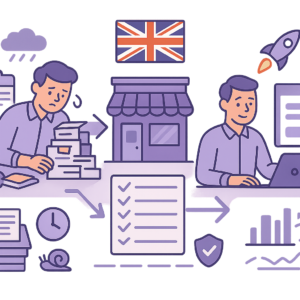
How to Automate Client Onboarding for UK SMEs: A Practical Guide
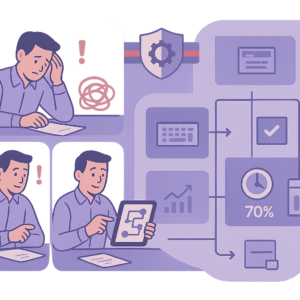
How to Automate Insurance Claim Processing for UK SMEs: Streamline Approvals & Reduce Admin

How to Automate Subscription Billing for UK SMEs: Reduce Churn & Streamline Recurring Payments
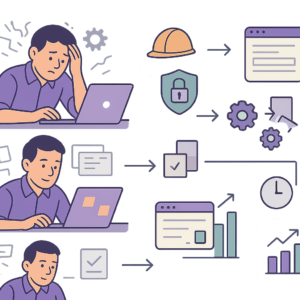
How to Automate Health and Safety Incident Reporting for UK SMEs: Streamline Compliance & Reduce Liability
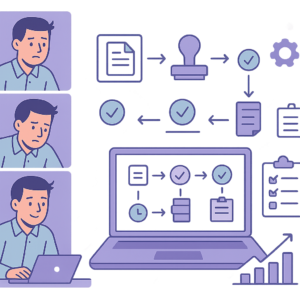
How to Automate Purchase Order Approval Workflows for UK SMEs: Cut Delays & Boost Compliance
How to Automate Vendor Invoice Processing for UK SMEs: Speed Up Payments & Reduce Errors
How to Automate Invoice Payment Chasing for UK Small Businesses: A Proven 5-Step Guide
How to Automate Supplier Onboarding for UK SMEs: Streamline Procurement & Ensure Compliance

How to Automate Inventory Management for UK SMEs: Reduce Stock Errors & Boost Efficiency
How to Automate Risk Assessment Workflows for UK SMEs: A Compliance Guide
How to Automate GDPR Data Retention Policies for UK SMEs: Delete Personal Data Lawfully
- Should I Use AI to Build My Website? Pros, Cons & Costs
- How to Automate Client Onboarding for UK SMEs: A Practical Guide

- How to Automate Insurance Claim Processing for UK SMEs: Streamline Approvals & Reduce Admin
- How to Automate Subscription Billing for UK SMEs: Reduce Churn & Streamline Recurring Payments
- How to Automate Health and Safety Incident Reporting for UK SMEs: Streamline Compliance & Reduce Liability