How to Automate Project Management Workflows for UK SMEs: From Task Tracking to Invoicing
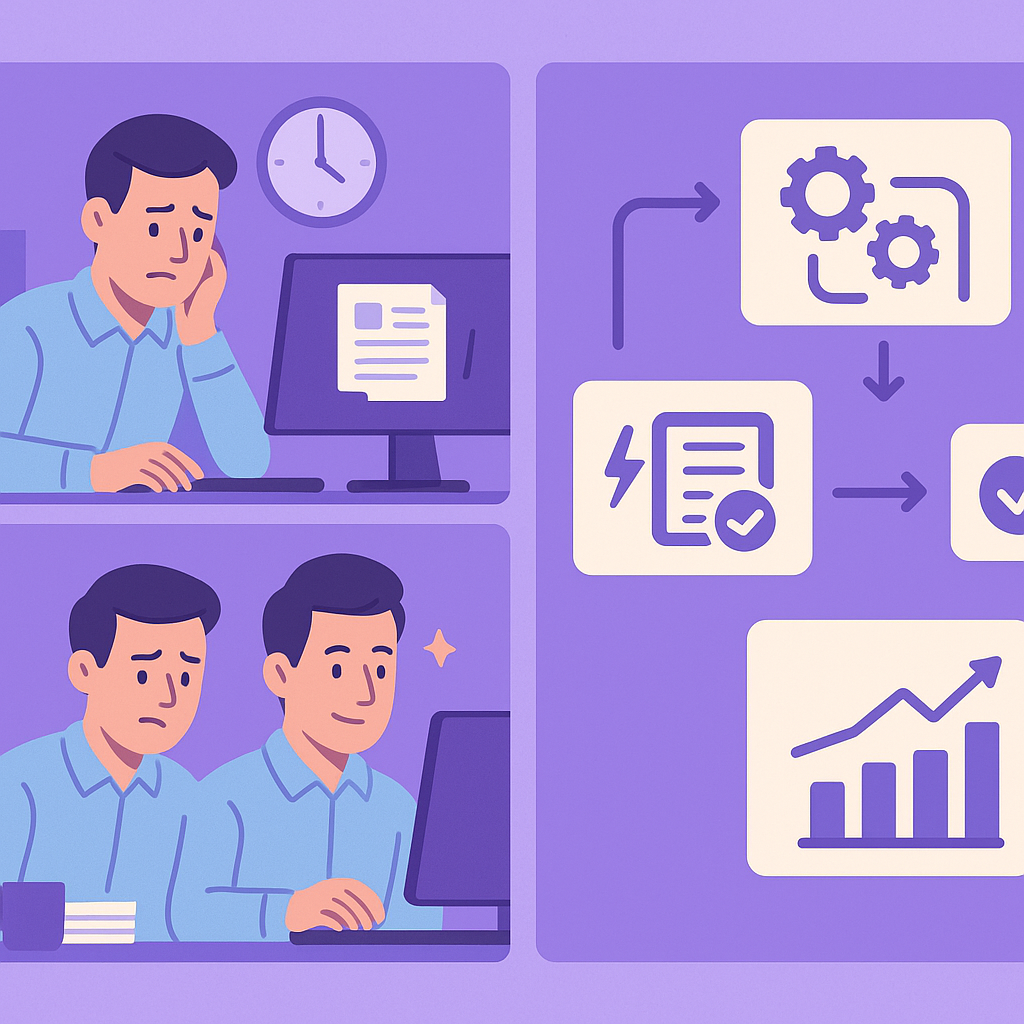
Imagine reclaiming 10-20 hours a week from chasing tasks, updating spreadsheets, and manual invoicing—time UK SMEs can use to automate project management and focus on growth.
Why UK SMEs Need to Automate Project Management Workflows
For UK SMEs managing multiple projects, the need to automate project management UK SMEs depend on is more pressing than ever. From service businesses and trades to professional services, manual processes for task tracking, milestone monitoring, and invoicing create unnecessary admin overload that drains valuable time and resources.
Manual workflows often lead to errors such as missed deadlines, duplicate data entry, and frustrated teams, ultimately costing money and harming client relationships. Small businesses simply cannot afford these inefficiencies as they scale.
This practical guide outlines step-by-step how to automate your entire project management workflow safely, using reliable tools that comply with UK regulations like GDPR, helping you streamline operations from start to finish.
The Challenges of Manual Project Management for UK SMEs
Manual project management is a common bottleneck for UK SMEs, where business owners and small teams juggle tasks across emails, spreadsheets, and disparate apps. This scattered approach leads to constant context-switching, with hours lost weekly to chasing updates and reconciling data.
In service-based businesses like consultancies or trades, delayed invoicing after project milestones can disrupt cash flow, while poor visibility into task progress results in missed deadlines and dissatisfied clients. As projects multiply, these issues compound, turning admin into a full-time role that diverts focus from revenue-generating activities.
Real-world examples abound: a London marketing agency might spend evenings manually compiling progress reports, or a Manchester builder chasing subcontractor updates via WhatsApp, leading to errors in billing and strained relationships.
- Time wasted on repetitive updates and follow-ups (up to 20 hours/week).
- Errors from manual data entry, such as incorrect invoicing or overlooked tasks.
- Scalability limits: manual processes fail as team size or project volume grows.
- Poor client visibility, leading to trust issues and lost repeat business.
- Compliance risks with scattered client data not managed under GDPR.
- Audit your current project tracking methods for time sinks.
- Track one week’s manual admin to quantify the cost.
Understanding Key Stages in Project Management Workflows
Project management workflows for UK SMEs typically follow a logical sequence from initiation to completion and billing. Understanding these stages is crucial before automating, as it ensures seamless connections between each part.
Common stages include project kick-off with task assignment, ongoing tracking of progress, milestone achievements triggering payments, integration with accounting for invoicing, and regular client reporting to maintain transparency.
Bottlenecks often occur at transitions, like manual handoffs between tracking and billing, where delays and errors creep in—prime spots for automation to smooth the flow.
- Project initiation: Define scope, assign tasks to team members.
- Task execution and tracking: Monitor progress, handle dependencies.
- Milestone completion: Verify deliverables, trigger next actions.
- Invoicing: Generate and send bills based on milestones.
- Client reporting: Share updates on status and achievements.

A project workflow is the sequence of tasks, approvals, and handoffs that move a project from start to finish. Automating it reduces manual intervention, ensuring consistency and speed for UK SMEs.
Step 1: Automate Task Tracking and Assignments
Start your automation journey by automating task tracking and assignments, a foundational step that eliminates manual chasing. Tools like no-code platforms can trigger task creation and assignment based on project intake forms or emails.
For a UK trade business, when a new job is confirmed via email, automation can instantly create tasks in your project tool, assign them to the right team member based on skills, and set deadlines with notifications.
Progress updates sync automatically, reducing emails and spreadsheets, allowing teams to focus on delivery while you gain real-time visibility.
- Use triggers like new project emails or form submissions to auto-create tasks.
- Set rules for auto-assignment (e.g., by location or expertise).
- Enable notifications for due dates, delays, or completions.
- Sync updates across tools like Slack or Microsoft Teams.
- Choose a project tool like ClickUp or Asana.
- Connect it to your CRM or email via Zapier or Make.
- Test with a sample project to ensure assignments flow correctly.
Step 2: Automate Milestone Tracking and Invoicing
Once tasks are tracking smoothly, automate milestone invoicing to accelerate cash flow. When a milestone is marked complete in your project tool, a trigger generates a professional invoice automatically.
UK SMEs must ensure invoices comply with standards like including VAT details and matching contract terms. Built-in templates and verification steps prevent errors, sending invoices via email instantly.
This setup has helped professional services firms reduce payment delays from weeks to days, improving liquidity without added admin.
- Trigger invoice on milestone status change (e.g., ‘Approved’).
- Use pre-approved templates with client details and VAT.
- Add approval step before sending to verify accuracy.
- Track invoice status and reminders automatically.

Always include a human review step for high-value invoices to ensure they match the original contract and avoid disputes.
- Map milestones to invoice amounts in your setup.
- Test the flow end-to-end with dummy data.
Step 3: Integrate Project Tools with Accounting Software
Seamless integration between project management and accounting software is key to automating project management UK SMEs. Popular UK tools like Xero or QuickBooks connect effortlessly via native apps or no-code platforms.
Time entries from tasks flow directly into invoices, and payments update project statuses automatically, preventing reconciliation headaches and ensuring accurate books.
For SMEs, this means better cash flow forecasting and compliance with HMRC requirements, all without manual data transfer.
- Connect project apps (e.g., Monday.com) to Xero/QuickBooks.
- Auto-sync time logs, expenses, and milestones to invoices.
- Set up bi-directional updates for payment confirmations.
- Test data mapping to match your chart of accounts.
Xero integrates with Asana, Trello, and Harvest; QuickBooks works with Smartsheet and Accelo—check for GDPR compliance.
- Review integration permissions for data security.
- Run a pilot sync with historical project data.
Step 4: Automate Client Progress Reports
Enhance client trust by automating progress reports that pull live data from your project tools. Schedule weekly or milestone-based emails with visual summaries of tasks completed, upcoming milestones, and timelines.
Customisation ensures transparency without revealing sensitive internal data, all while staying GDPR-compliant by only sharing necessary information with explicit consent.
UK professional services have reported higher satisfaction scores and repeat business from this professional touch that requires zero manual effort.
- Pull data from task boards and milestones dynamically.
- Use templates with charts, percentages, and next steps.
- Schedule via tools like Zapier to client emails.
- Include opt-in for report frequency.
- Define what data is safe to share (GDPR check).
- Customise templates to match your branding.
- Test delivery to ensure formatting holds.
Risks, Compliance, and Best Practices for Project Automation
While automation brings huge benefits, risks like data sync failures, incorrect invoices, or GDPR breaches must be managed. Start with small pilots to iron out issues before full rollout.
Choose GDPR-compliant tools with UK data centres, and implement audit logs for all automated actions. Regular testing ensures workflows remain reliable as your business evolves.
Best practices include staff training, backup manual processes, and periodic reviews to adapt to changes like new HMRC rules.
- Data sync errors leading to outdated task views or bills.
- Automation rigidity: fails if project scopes change unexpectedly.
- GDPR non-compliance from unvetted client data sharing.
- Over-reliance without monitoring causing missed issues.
Test integrations thoroughly to prevent data mismatches; always verify high-stakes outputs like invoices; select tools certified for GDPR and UK data protection.
- Pilot on 1-2 projects before company-wide use.
- Schedule monthly workflow audits.
- Document all automations for compliance records.
- Train team on fallback manual processes.
Take Control: Implement Automated Project Management Today
Automating project management workflows transforms UK SMEs from admin-overloaded operations into efficient, scalable businesses. By addressing task tracking through to invoicing, you reclaim time, reduce errors, and delight clients.
Start small, test rigorously, and scale with confidence using compliant tools—your projects will run smoother, cash flow improves, and growth becomes achievable.
Consider consulting automation experts for tailored setups to ensure seamless integration and ongoing support.
Take Control: Implement Automated Project Management Today
Automating project management UK SMEs is a smart move to overcome manual drudgery and unlock efficiency across your workflows. From task assignments to client-ready invoices, these steps provide a roadmap for real results.
Implement with care, prioritising compliance and testing, to avoid pitfalls while reaping benefits like faster payments and happier teams. Your business deserves streamlined processes that support sustainable growth.
Ready to automate? Review your current setup against these stages and explore no-code tools to get started today.
Key points
- Manual project management drains UK SME resources—automate project management UK SMEs to streamline from tasks to invoicing.
- Focus on key stages: task tracking, milestones, integrations, and reports for full workflow efficiency.
- Prioritise GDPR-compliant tools and thorough testing to avoid risks like data errors or disputes.
- Start small with pilots to measure time savings before scaling.
- Automation reduces admin, prevents errors, and supports business growth safely.
Frequently asked questions
Is project management automation suitable for small UK businesses?
Yes, project management automation is highly suitable for UK SMEs, including small teams in service businesses or trades. It helps streamline task tracking and invoicing without needing large IT departments, though the benefits depend on clear processes, tool compatibility, and starting with simple pilots to match your scale.
How long does it take to set up automated project management workflows?
The setup time for automating project workflows varies based on factors like the complexity of your processes, the tools you use, and data quality. Simple task tracking might take a few days, while full integrations with accounting could take weeks, so begin with testing on one project to refine efficiently.
Can automation integrate with existing tools like Xero or QuickBooks?
Most no-code automation platforms integrate seamlessly with popular UK accounting tools like Xero and QuickBooks, as well as project apps such as Asana or ClickUp. Check compatibility first and test connections to ensure smooth data flow without disrupting your current setup.
What GDPR risks are involved in automating project management with client data?
Automating project management involves handling client data, so GDPR risks include unauthorised sharing or insecure storage. Mitigate this by selecting tools with UK data centres, obtaining explicit consent for reports, implementing access controls, and maintaining audit logs for compliance.
What should I do if an automation breaks during a project?
If an automation fails, have fallback manual processes ready, such as checklists for task tracking and invoicing. Monitor workflows regularly, test updates promptly, and document everything to quickly identify issues, ensuring projects stay on track without major disruptions.
Ready to Streamline Your Project Workflows?
Get expert guidance from Business Automations UK to review your project processes and implement safe, compliant automations tailored for your SME. Start reclaiming time from admin today.
This article is for general information only. It is not legal, financial, or compliance advice. If you are unsure about GDPR, HMRC, or regulatory obligations, speak to a qualified professional or reach out to us for more information.
Related Posts
Should I Use AI to Build My Website? Pros, Cons & Costs


How to Automate Client Onboarding for UK SMEs: A Practical Guide
How to Automate Insurance Claim Processing for UK SMEs: Streamline Approvals & Reduce Admin

How to Automate Subscription Billing for UK SMEs: Reduce Churn & Streamline Recurring Payments
How to Automate Health and Safety Incident Reporting for UK SMEs: Streamline Compliance & Reduce Liability
How to Automate Purchase Order Approval Workflows for UK SMEs: Cut Delays & Boost Compliance

How to Automate Vendor Invoice Processing for UK SMEs: Speed Up Payments & Reduce Errors
How to Automate Invoice Payment Chasing for UK Small Businesses: A Proven 5-Step Guide
How to Automate Supplier Onboarding for UK SMEs: Streamline Procurement & Ensure Compliance

How to Automate Inventory Management for UK SMEs: Reduce Stock Errors & Boost Efficiency
How to Automate Risk Assessment Workflows for UK SMEs: A Compliance Guide
How to Automate GDPR Data Retention Policies for UK SMEs: Delete Personal Data Lawfully
- Should I Use AI to Build My Website? Pros, Cons & Costs
- How to Automate Client Onboarding for UK SMEs: A Practical Guide

- How to Automate Insurance Claim Processing for UK SMEs: Streamline Approvals & Reduce Admin
- How to Automate Subscription Billing for UK SMEs: Reduce Churn & Streamline Recurring Payments
- How to Automate Health and Safety Incident Reporting for UK SMEs: Streamline Compliance & Reduce Liability