How to Automate Invoice Payment Chasing for UK Small Businesses: A Proven 5-Step Guide
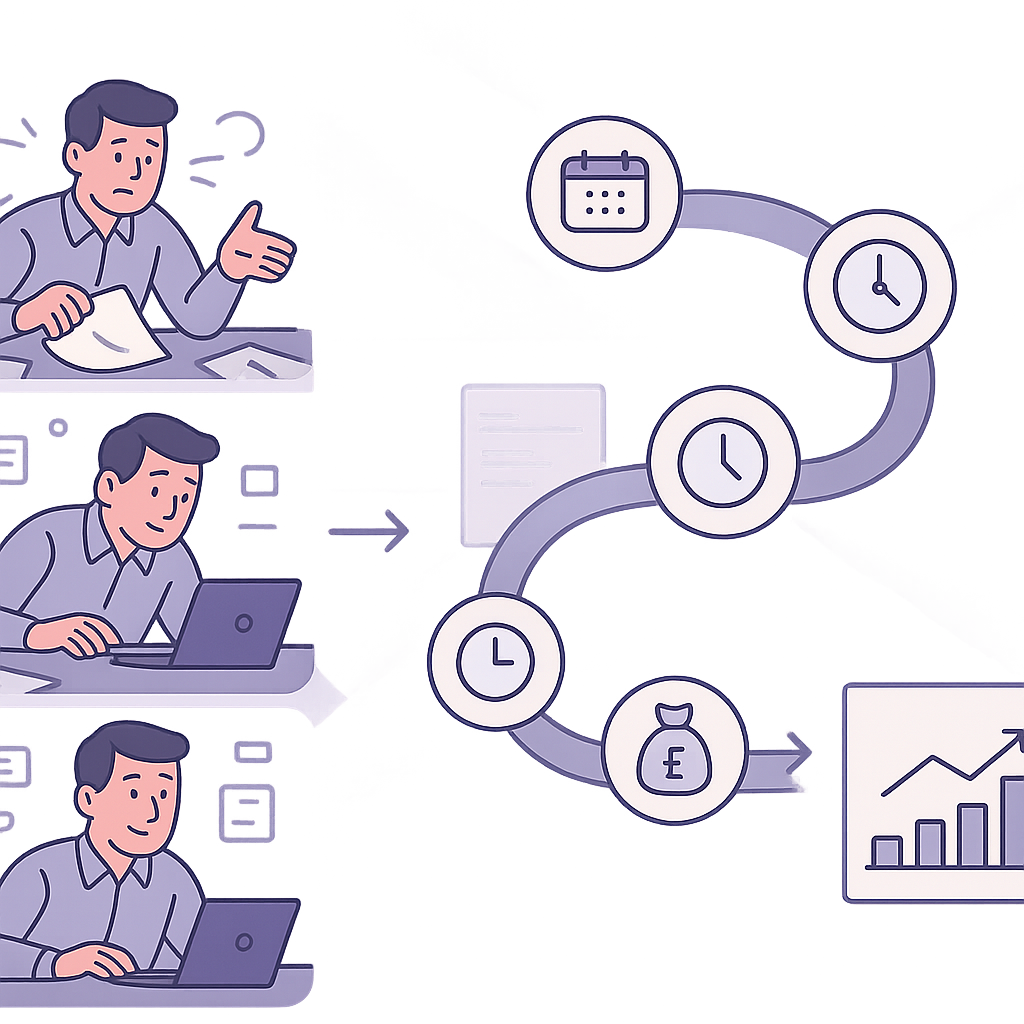
UK small businesses lose thousands annually to late payments – but invoice payment chasing automation lets you set up hands-off reminders to secure faster cash flow and reclaim precious time.
Why UK Small Businesses Need Invoice Payment Chasing Automation
Invoice payment chasing automation is revolutionising cash flow management for UK small businesses by eliminating manual follow-ups and reducing late payments significantly.
Manual processes lead to wasted hours, forgotten invoices, and strained client relationships – problems that a well-set-up automation system solves efficiently.
This proven 5-step guide walks non-technical business owners through implementation using familiar tools like Xero, QuickBooks, and CRM integrations.
Step 1: Assess Your Current Invoice Chasing Process
Before diving into tools and setups, take stock of your current invoice chasing routine. Many UK small businesses rely on sporadic emails or phone calls, which are time-consuming and often ineffective. Assessing your process reveals exactly where invoice payment chasing automation can deliver the most value.

Start by tracking how much time you or your team spend on chasing payments each week. Calculate your Days Sales Outstanding (DSO), which is the average number of days it takes to collect payment after issuing an invoice. A high DSO indicates cash flow strain and highlights the urgency for automation.
Common bottlenecks include manual data entry, inconsistent reminder timing, forgotten follow-ups, and lack of visibility into overdue invoices. By documenting your steps – from invoice creation to final payment – you’ll pinpoint pain points like reliance on spreadsheets or missed escalations.
- Log the time spent on invoice chasing over a week.
- Calculate your DSO: divide total outstanding receivables by your average daily sales.
- Map out your current process: when do you send reminders? How do you track responses?
- Note pain points: forgotten invoices, client complaints about repeated emails, or admin overload.

DSO is a key metric showing the average days to collect payment. Formula: (Accounts Receivable / Total Credit Sales) x Number of Days. Aim to reduce it through timely invoice payment chasing automation for better cash flow.
- Review last month’s invoices for patterns in late payments.
- Talk to your team about frustrations in the current process.
- Set a baseline DSO to measure automation success later.
Step 2: Select the Right Invoice Payment Chasing Automation Tools
With your process mapped, choose tools that fit your UK small business needs. Prioritise platforms compliant with UK regulations like GDPR and the Late Payment of Commercial Debts Act. Look for ease of setup, no-coding requirements, and scalability as your business grows.
Popular options include Zapier for no-code workflows connecting your accounting software to email/SMS services, Chaser for dedicated payment chasing, and built-in automation in Xero or FreeAgent. QuickBooks also offers reminder features that can be enhanced with integrations.
Key criteria: integration with your accounting/CRM, cost (starting from £10/month), customisation for reminder sequences, and reporting on payment trends. Avoid overkill – start with tools that solve your specific bottlenecks without steep learning curves.
- Check UK GDPR compliance and data security features.
- Ensure compatibility with Xero, QuickBooks, or FreeAgent.
- Evaluate pricing: free tiers for testing, then affordable SME plans.
- Test free trials for reminder customisation and analytics.
- Consider support: UK-based helpdesks are a bonus.

Steer clear of tools without UK payment law compliance or poor integrations, which can lead to data errors, fines, or wasted setup time. Always verify BACS/Direct Debit support for UK banks.
- List your must-have features (e.g., email/SMS, CRM sync).
- Shortlist 2-3 tools and run free trials.
- Compare costs against expected time savings.
Step 3: Build Your Automated Reminder Workflows
Now, design your reminder sequence. A typical workflow starts with a polite nudge on day 7 post-due date, escalates to a firmer reminder on day 14, and includes a final notice before considering formal action. Automation handles this consistently, freeing you from calendar reminders.
Use friendly, professional language: ‘Just a gentle reminder about invoice #123…’ Keep emails short, include payment links, and personalise with client names. For stubborn cases, add SMS for higher response rates. Tools like Zapier trigger these based on invoice status changes.
Incorporate UK best practices: reference the 30-day payment term under law, avoid aggressive tones to preserve relationships, and always offer easy payment options like bank transfer or card.
- Day 1 (due): Invoice sent with clear terms.
- Day 7: Polite email reminder.
- Day 14: Firmer reminder with payment link.
- Day 21: SMS nudge + overdue notice.
- Day 30+: Escalate to director or collections.
Under the Late Payment of Commercial Debts (Interest) Act 1998, businesses can charge interest on overdue B2B invoices after 30 days. Use this in final reminders judiciously.
- Draft 3-4 reminder templates.
- Test triggers in your chosen tool.
- Personalise with merge fields (name, amount).
- Schedule escalations accurately.
Step 4: Integrate with Your CRM and Accounting Software
Integrations are the magic of invoice payment chasing automation – they update invoice statuses automatically, trigger reminders, and log payments in your CRM for sales follow-up. For example, connect Xero to HubSpot via Zapier: when an invoice goes overdue, it creates a task in CRM.
No-code platforms make this accessible: Zapier or Make.com link QuickBooks to Pipedrive, pushing overdue alerts to deal stages. This reduces manual checks, errors, and ensures everyone sees real-time payment status.
Benefits include faster collections (as sales teams chase strategically) and accurate reporting. Start with one key integration, like accounting to email, then expand to CRM and calendars.
- Choose a no-code integrator (Zapier, Integromat).
- Connect accounting app (e.g., Xero) as trigger source.
- Set CRM/accounting as actions (update status, send email).
- Map fields: invoice ID, amount, client email.
- Enable two-way sync for payment confirmations.
Ensure GDPR-compliant data flows; avoid sharing sensitive info unnecessarily. Test mappings to prevent duplicate emails or data mismatches.
- Verify API access in your apps.
- Build and test one Zap first.
- Monitor logs for errors post-launch.
Step 5: Test, Launch, and Optimise Your System
Testing prevents disasters: create test invoices for dummy clients and run the full workflow. Check emails arrive correctly, triggers fire, and statuses update. Launch softly with a subset of invoices to iron out kinks.
Post-launch, track KPIs like average payment time, DSO reduction, and reminder open rates. Tools provide dashboards for this. Optimise by A/B testing reminder wording or timing based on data.
Ongoing: review monthly for compliance, client feedback, and new features. Adjust for seasonal patterns or business growth, keeping your system robust.
- Run 5-10 test invoices through the workflow.
- Simulate escalations and payment logging.
- Monitor for 1 week before full rollout.
- Track KPIs: payment speed, collection rate.
- Test all reminder stages.
- Gather team feedback on usability.
- Set monthly review calendar.
- Compare pre/post DSO after 30 days.
Take Control of Your Cash Flow with Invoice Payment Chasing Automation
Invoice payment chasing automation empowers UK small businesses to reclaim control over their cash flow, slashing admin time and minimising late payments. By methodically following these five steps – from assessment to optimisation – you build a reliable system that works around the clock.
The beauty lies in its simplicity: no need for developers or complex coding. Start small, integrate your favourite tools, and watch payments roll in faster while client relationships stay strong.
Ready to automate? Assess your process today and explore compatible tools. For tailored advice, professional automation reviews can accelerate your setup and ensure compliance.
Key points
- Invoice payment chasing automation cuts admin time and accelerates collections for UK small businesses.
- Start by assessing your current process to target the right fixes.
- Select tools with UK compliance and easy integrations like Xero or Zapier.
- Build timed, personalised reminder workflows to maintain good client relations.
- Test thoroughly before launch to avoid mishaps.
- Monitor and tweak for continuous cash flow improvements.
Frequently asked questions
Is invoice payment chasing automation suitable for small UK businesses?
Yes, invoice payment chasing automation is highly suitable for small UK businesses, using accessible no-code tools that integrate with popular accounting software like Xero, QuickBooks, or FreeAgent. The ease of implementation depends on your existing processes, data quality, and chosen tools, making it feasible even for businesses with limited technical resources.
How do I ensure automated invoice reminders comply with UK regulations?
To ensure compliance, select tools with GDPR and UK data protection features, craft polite and personalised reminders referencing standard 30-day payment terms, and include easy payment options. Always test workflows for accuracy and avoid aggressive language, aligning with the Late Payment of Commercial Debts Act while preserving client relationships.
What tools work best for invoice payment chasing automation in the UK?
Effective tools include Zapier for workflows, Chaser for dedicated chasing, and built-in features in Xero or QuickBooks, prioritising those with UK compliance, seamless integrations, and SME-friendly pricing. The best choice depends on your accounting software, volume of invoices, and specific needs like SMS reminders or CRM sync.
Can I integrate invoice payment chasing with my CRM and accounting software?
Yes, no-code platforms like Zapier or Make enable straightforward integrations between accounting apps and CRMs such as HubSpot or Pipedrive, automatically triggering reminders and updating statuses. Success relies on proper field mapping and testing to ensure reliable data flow without errors.
What should I do if the automation fails or breaks?
Reputable tools provide dashboards and error alerts for quick detection. Maintain a simple manual backup like a spreadsheet for critical invoices, conduct regular checks, and review logs. Reliability varies with tool quality, integrations, and maintenance, so start small and monitor closely.
Ready to Automate Your Invoice Chasing?
Contact Business Automations UK for personalised guidance on assessing your processes and implementing reliable invoice payment chasing automation tailored to your UK business needs.
This article is for general information only. It is not legal, financial, or compliance advice. If you are unsure about GDPR, HMRC, or regulatory obligations, speak to a qualified professional or reach out to us for more information.
Related Posts
Should I Use AI to Build My Website? Pros, Cons & Costs

How to Automate Client Onboarding for UK SMEs: A Practical Guide
How to Automate Insurance Claim Processing for UK SMEs: Streamline Approvals & Reduce Admin

How to Automate Subscription Billing for UK SMEs: Reduce Churn & Streamline Recurring Payments
How to Automate Health and Safety Incident Reporting for UK SMEs: Streamline Compliance & Reduce Liability
How to Automate Purchase Order Approval Workflows for UK SMEs: Cut Delays & Boost Compliance
How to Automate Vendor Invoice Processing for UK SMEs: Speed Up Payments & Reduce Errors
How to Automate Invoice Payment Chasing for UK Small Businesses: A Proven 5-Step Guide
How to Automate Supplier Onboarding for UK SMEs: Streamline Procurement & Ensure Compliance

How to Automate Inventory Management for UK SMEs: Reduce Stock Errors & Boost Efficiency
How to Automate Risk Assessment Workflows for UK SMEs: A Compliance Guide
How to Automate GDPR Data Retention Policies for UK SMEs: Delete Personal Data Lawfully
- Should I Use AI to Build My Website? Pros, Cons & Costs
- How to Automate Client Onboarding for UK SMEs: A Practical Guide

- How to Automate Insurance Claim Processing for UK SMEs: Streamline Approvals & Reduce Admin
- How to Automate Subscription Billing for UK SMEs: Reduce Churn & Streamline Recurring Payments
- How to Automate Health and Safety Incident Reporting for UK SMEs: Streamline Compliance & Reduce Liability