How to Automate Compliance Training Tracking for UK SMEs: A Step-by-Step Guide
Imagine slashing hours of manual admin each week while ensuring your UK SME never misses a GDPR training deadline again with compliance training tracking automation.
Why UK SMEs Need Compliance Training Tracking Automation
Compliance training tracking automation for UK SMEs is essential in navigating the complex regulatory landscape, particularly with requirements like GDPR, without being overwhelmed by spreadsheets, emails, and manual follow-ups.
Manual processes often lead to missed deadlines, compliance risks, frustrated HR teams, and potential fines that can severely impact small businesses—issues that automation directly addresses by streamlining tracking and reminders.
This step-by-step guide will walk you through assessing needs, selecting tools, setting up integrations, testing, and monitoring, empowering your SME to achieve efficient, reliable compliance training management.
The Challenges of Manual Compliance Training Tracking
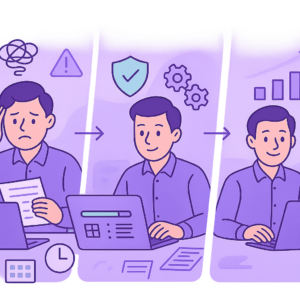
Manual compliance training tracking is a nightmare for most UK SMEs. HR teams spend countless hours chasing certificates via emails, updating spreadsheets, and manually scheduling reminders, diverting time from strategic tasks.
As your business grows, these processes become unscalable—errors creep in, such as overlooking renewals or incorrect record-keeping, leading to compliance gaps. Real-world examples abound: SMEs have faced ICO fines for inadequate staff training on data protection, with penalties reaching thousands of pounds.
The admin burden not only wastes time but also increases stress levels and turnover in HR roles, ultimately harming productivity and employee morale.
- Time wasted chasing completion certificates and proof of training.
- Error-prone spreadsheets leading to inaccurate records and missed deadlines.
- Scalability issues as team size grows, making manual tracking unsustainable.
- Risk of regulatory fines, e.g., under GDPR for insufficient employee awareness.

GDPR violations due to poor training records can result in fines up to 4% of global annual turnover or £17.5 million, whichever is higher—a devastating blow for SMEs.
Checklist
- Audit your current manual processes for time spent weekly.
- Document recent instances of missed training deadlines.
- Calculate potential fine risks based on your industry.
Key Benefits of Compliance Training Tracking Automation for UK SMEs
Automating compliance training tracking transforms HR operations for UK SMEs, delivering immediate time savings by eliminating manual chases and data entry.
Accuracy soars with automated records, ensuring audit-ready reports at your fingertips, while scalable systems grow with your business without added complexity.
Tailored to UK regulations like GDPR, these automations send smart reminders, track deadlines, and integrate seamlessly, reducing risks and boosting compliance confidence.
- Significant time savings: reclaim hours weekly for core business activities.
- Enhanced accuracy and real-time reporting for effortless audits.
- Automated reminders prevent missed deadlines and lapses.
- Scalable for growth, cost-effective for SMEs with no-code options.
- Improved employee experience through timely, personalised training prompts.

Many SMEs report recovering setup time within weeks through reduced admin, with ongoing savings scaling with team size.
Step 1: Assess Your Compliance Training Needs
Begin by inventorying all mandatory trainings relevant to your UK SME, such as GDPR data protection, health and safety, or industry-specific courses.
Map these to employee roles, noting frequencies (annual, bi-annual) and deadlines. Identify gaps in your existing tracking—do you have complete records for everyone?
This assessment forms the blueprint for your automation, ensuring you cover all bases without overcomplicating the system.
- List all required trainings (e.g., GDPR, manual handling).
- Assign trainings to roles and track renewal dates.
- Review current completion rates and record quality.
- Note pain points in your manual system.
Checklist
- Create a training matrix spreadsheet.
- Consult legal/HR advisor for obligations.
- Gather employee feedback on training experiences.
Step 2: Choose the Right Automation Tools
Prioritise no-code platforms like Zapier, Microsoft Power Automate, or Make.com that integrate with popular UK HR systems such as Sage Payroll, BambooHR, or training platforms like TalentLMS.
Key features include automated reminders, deadline tracking, reporting dashboards, and secure data handling compliant with UK data protection laws.
Start simple: opt for tools with free tiers or low SME pricing, strong integrations, and positive reviews from UK businesses.
- GDPR-compliant data security and UK server options.
- Seamless integrations with HR/payroll software.
- Customisable reminders and reporting.
- Ease of use for non-technical teams.
- Cost-effectiveness: under £50/month for starters.
Evaluate based on integration count, user ratings on G2/Capterra, and UK case studies.
Checklist
- Shortlist 3 tools based on features.
- Check integration with your current software.
- Review pricing and trial options.
Step 3: Set Up Integrations and Automations
Connect your training platform to HR software using your chosen tool—e.g., trigger new employee onboarding to auto-enrol in compliance courses via Zapier.
Set up workflows: on course completion, update HR records; near deadlines, send email/Slack reminders; flag overdue trainings for managers.
Emphasise secure setups: use API keys, enable encryption, and test data flows to comply with UK standards.
- Link training completion to HR record updates.
- Configure enrolment triggers from onboarding.
- Build reminder sequences (7-day, 1-day warnings).
- Automate audit reports generation.
Always use secure connections and limit data shared between tools to essential fields only.
Checklist
- Map data fields between systems.
- Create and test 2-3 sample automations.
- Document your workflows for team reference.
Step 4: Test, Launch, and Monitor Your System
Test thoroughly: simulate completions, deadlines, and failures to iron out issues before launch.
Communicate changes to staff, provide quick training, then go live. Monitor KPIs like completion rates, reminder effectiveness, and system uptime.
Regular reviews—quarterly—allow tweaks based on usage data, keeping your SME audit-ready year-round.
- Run end-to-end tests with dummy data.
- Train key users (HR, managers).
- Track metrics: 95%+ completion target.
- Schedule monthly performance reviews.
Monitor completion %, overdue count, time saved on admin.
Checklist
- Develop test scenarios.
- Prepare launch announcement email.
- Set up dashboard alerts for issues.
Compliance Risks and Best Practices to Avoid Pitfalls
Misconfigurations can lead to data leaks or incomplete records, attracting ICO scrutiny. Reference ICO guidance on automated processing.
Best practices include regular audits, staff consent for data use, and staying updated via UK government alerts.
Low-risk approaches with reputable tools keep your SME protected while automating effectively.
- Conduct bi-annual system audits.
- Obtain explicit consents where needed.
- Subscribe to ICO/legislation updates.
- Backup records securely.
Incomplete testing can miss edge cases, leading to compliance gaps during audits.
Checklist
- Review ICO automated decision-making guidance.
- Implement access controls on reports.
- Plan for regulation changes.
Achieve Effortless Compliance with Training Automation
Implementing compliance training tracking automation empowers UK SMEs to meet regulatory demands like GDPR efficiently, slashing admin time and minimising risks.
By following these steps—assessing needs, choosing tools, setting up, testing, and monitoring—you’ll build a robust system that scales with your business.
Consider consulting a specialist for tailored setup to ensure seamless integration and peace of mind.
With automation in place, focus on growth knowing your compliance is handled.
Key points
- Manual compliance training tracking drains time and risks fines for UK SMEs.
- Compliance training tracking automation for UK SMEs delivers reminders, integrations, and reports to streamline HR.
- Follow these steps: assess needs, choose tools, set up, test, and monitor.
- Prioritise GDPR-compliant tools to protect your business.
- Start small to reduce admin and scale confidently.
- Automation empowers UK SMEs to focus on growth, not paperwork.
Frequently asked questions
Is compliance training tracking automation suitable for small UK businesses?
Yes, compliance training tracking automation is highly suitable for UK SMEs, offering scalable, no-code solutions that non-technical teams can implement without extensive IT support. The effectiveness depends on clearly defining your training needs and selecting tools that integrate with your existing systems, allowing you to start small with essential compliances like GDPR.
How long does it take to set up compliance training tracking automation?
The setup time for compliance training tracking automation varies depending on factors such as the complexity of your workflows, the tools selected, and your team’s familiarity with the platforms. Simple integrations can be live in days, while more comprehensive systems may take weeks, including time for testing to ensure reliability.
Will automation integrate with our existing HR and training tools?
Most popular no-code automation platforms integrate seamlessly with common UK HR systems like Sage Payroll, BambooHR, and training platforms such as TalentLMS. Always verify compatibility during the selection process to match your specific tech stack and avoid disruptions.
Are there GDPR risks when automating compliance training tracking?
GDPR risks can be minimised by choosing tools with built-in compliance features like data encryption, access controls, and UK data hosting. Follow best practices such as conducting regular audits, limiting data flows, and referencing ICO guidance to ensure your automation upholds data protection standards.
What should I do if the training automation system fails?
Reputable automation tools include monitoring dashboards and alerts for failures, allowing quick detection and resolution. Maintain manual fallback processes, regular backups of records, and scheduled reviews to keep compliance intact during any issues.
Ready to Streamline Your Compliance Training?
Contact our experts for a tailored review of your training processes and guidance on safe, effective automation setup suited to your UK SME.
This article is for general information only. It is not legal, financial, or compliance advice. If you are unsure about GDPR, HMRC, or regulatory obligations, speak to a qualified professional or reach out to us for more information.
Related Posts
How to Automate Client Onboarding for UK SMEs: A Practical Guide

How to Automate Insurance Claim Processing for UK SMEs: Streamline Approvals & Reduce Admin

How to Automate Subscription Billing for UK SMEs: Reduce Churn & Streamline Recurring Payments
How to Automate Health and Safety Incident Reporting for UK SMEs: Streamline Compliance & Reduce Liability
How to Automate Purchase Order Approval Workflows for UK SMEs: Cut Delays & Boost Compliance
How to Automate Vendor Invoice Processing for UK SMEs: Speed Up Payments & Reduce Errors
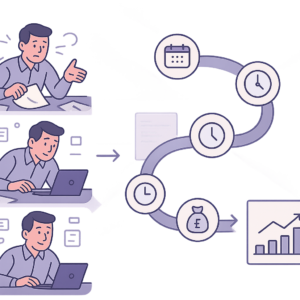
How to Automate Invoice Payment Chasing for UK Small Businesses: A Proven 5-Step Guide
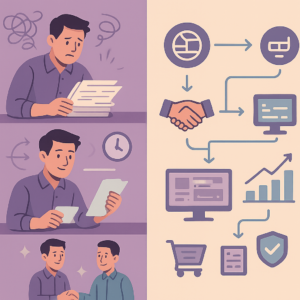
How to Automate Supplier Onboarding for UK SMEs: Streamline Procurement & Ensure Compliance

How to Automate Inventory Management for UK SMEs: Reduce Stock Errors & Boost Efficiency
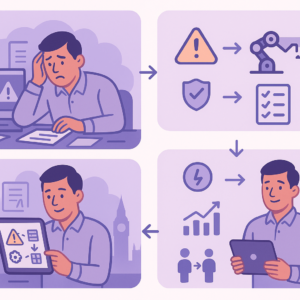
How to Automate Risk Assessment Workflows for UK SMEs: A Compliance Guide
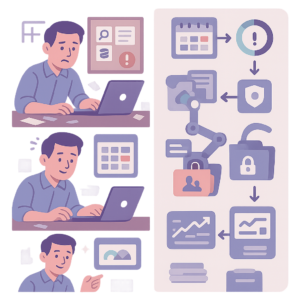
How to Automate GDPR Data Retention Policies for UK SMEs: Delete Personal Data Lawfully
How to Automate Compliance Training Tracking for UK SMEs: A Step-by-Step Guide
- How to Automate Client Onboarding for UK SMEs: A Practical Guide

- How to Automate Insurance Claim Processing for UK SMEs: Streamline Approvals & Reduce Admin
- How to Automate Subscription Billing for UK SMEs: Reduce Churn & Streamline Recurring Payments
- How to Automate Health and Safety Incident Reporting for UK SMEs: Streamline Compliance & Reduce Liability
- How to Automate Purchase Order Approval Workflows for UK SMEs: Cut Delays & Boost Compliance