How to Automate Invoice Chasing for UK Small Businesses: A Practical Guide
Late payments are silently draining cash flow from UK small businesses—discover how invoice chasing automation can reclaim your time and money without endless phone calls.
Why UK Small Businesses Need Invoice Chasing Automation
Invoice chasing automation UK small businesses adopt is revolutionising how overdue payments are handled, freeing owners from tedious manual follow-ups.
With cash flow challenges intensified by economic pressures, automating reminders ensures timely payments while maintaining positive client relationships.
This practical guide outlines the steps to implement effective invoice chasing automation tailored for UK small businesses.
The Problem with Manual Invoice Chasing
Manual invoice chasing is a relentless task that plagues many UK small businesses. Owners and managers often spend hours each week drafting emails, making phone calls, and tracking down overdue payments, only to face delays or excuses. This not only drains time but also diverts attention from core activities like serving customers and growing the business.
The inefficiency compounds as the business scales. What starts as a few polite reminders turns into a full admin burden, leading to cash flow gaps that can jeopardise operations. Late payments disrupt budgeting, delay supplier payments, and create unnecessary stress, all while manual processes are prone to human error such as forgotten follow-ups or incorrect amounts.
- Hours wasted on repetitive emails and calls that could be spent on revenue-generating tasks.
- Delayed cash flow leading to borrowing costs or missed opportunities.
- Increased stress and admin overload for small teams.
- Risk of damaging client relationships through inconsistent or aggressive chasing.
- Track how many hours you spend weekly on chasing invoices.
- Note any cash flow disruptions caused by late payments.
- Assess if manual follow-ups are straining team morale.
Common Causes of Late Payments in UK Small Businesses
Late payments are rife in the UK small business landscape, with surveys showing that over 60% of SMEs experience delays beyond 30 days. Client oversight is a primary culprit—busy customers simply forget amid their own priorities. Additionally, clients facing their own cash flow squeezes prioritise larger suppliers, leaving smaller businesses waiting.
Unclear invoice terms exacerbate the problem. Vague due dates, missing payment instructions, or lack of early reminders mean payments slip through the cracks. Economic factors like inflation and rising costs further strain client budgets, making prompt payments less likely without systematic nudges.
- Client forgetfulness due to high workloads.
- Client-side cash flow problems prioritising other bills.
- Ambiguous invoice details or terms.
- Economic pressures delaying non-essential outflows.

According to the Federation of Small Businesses, late payments cost UK SMEs £2.4 billion annually in admin time alone, with average delays of 27 days.
Benefits of Implementing Invoice Chasing Automation
Invoice chasing automation UK small businesses implement transforms payment recovery. Automated reminders go out precisely when needed, reducing days sales outstanding (DSO) by up to 20-30% in many cases. This accelerates cash flow, enabling better financial planning and reducing reliance on overdrafts.
Beyond speed, automation saves significant time—potentially reclaiming 5-10 hours weekly for small teams. Polite, consistent messaging maintains professionalism, preserving client relationships while gently enforcing terms. UK businesses report fewer disputes and higher on-time payments after adoption.
- Faster cash inflow and reduced DSO.
- Time savings on admin tasks.
- Consistent, professional communication.
- Improved client relations through non-confrontational reminders.
- Scalable solution as business grows.
Choosing the Right Tools for Invoice Chasing Automation UK Small Businesses
Selecting tools for invoice chasing automation requires focusing on features that fit UK small businesses. Look for platforms offering customisable reminder sequences, such as emails at 7, 14, and 30 days overdue, with escalating tones but always polite. Integration with existing accounting software is crucial for seamless data flow.
Ease of setup, mobile access, and reporting on payment trends are essential for busy owners. Ensure UK data protection compliance, like GDPR support, and scalability for growing invoice volumes. Cost-effectiveness matters—opt for solutions with free trials and pay-per-use models suited to small budgets.
- Customisable reminder workflows.
- Native integrations with UK accounting tools.
- GDPR-compliant email handling.
- User-friendly dashboards and reports.
- Affordable pricing for SMEs.

Steer clear of enterprise-level software that requires IT expertise; small businesses need plug-and-play options to avoid setup frustrations.
- Does it integrate with your accounting software?
- Are reminder templates editable and compliant?
- Is there a free trial to test fit?
- What are the support options for UK users?
Step-by-Step Guide to Setting Up Invoice Chasing Automation
Setting up invoice chasing automation starts with mapping your current process. Identify trigger points, like invoices unpaid after 7 days, and plan a sequence of 3-5 reminders. Use your accounting software’s built-in features or a dedicated tool to configure automated emails with clear calls to action.
Craft messages in a friendly UK tone: start gentle, then firm. Test the full sequence on sample data before going live. Monitor initial runs and tweak based on responses to optimise effectiveness.
- Step 1: Review overdue invoice triggers (e.g., 7, 14, 30 days).
- Step 2: Design reminder sequence with escalating politeness.
- Step 3: Integrate with accounting system for auto-detection.
- Step 4: Customise templates with invoice links and payment details.
- Step 5: Test end-to-end and launch.
- Step 6: Monitor analytics and refine.

‘Hi [Name], Just a friendly reminder that invoice [Number] is due on [Date]. Click here to pay securely: [Link]. Thank you!’
- Test reminders on internal invoices first.
- Schedule reviews after first month.
- Document your sequence for team reference.
Integrating with Popular Accounting Software
Most UK small businesses use tools like Xero, QuickBooks, or FreeAgent, which offer built-in or add-on automation for invoice chasing. Connecting these via APIs or native apps syncs invoice data automatically, triggering reminders without manual input.
Setup typically involves granting permissions and mapping fields like due dates and amounts. Once live, payments update statuses in real-time, closing the loop. This integration minimises errors and provides a single view of receivables.
- Xero: Use Chase feature or apps like Debtor Daddy.
- QuickBooks: Enable automated emails via settings or Zapier.
- FreeAgent: Built-in reminders with custom schedules.
- Benefits: Real-time sync, reduced data entry, comprehensive reports.
- Check your software’s app marketplace.
- Follow official integration guides.
- Verify data sync post-setup.
Risks, Compliance, and Best Practices
While powerful, invoice chasing automation carries risks like over-reminding, which can annoy clients, or data errors leading to wrong amounts. UK businesses must comply with GDPR by obtaining consent for communications and providing opt-out options.
Best practices include starting conservatively, monitoring for disputes, and having manual override processes. Regularly audit sequences to align with changing business needs and client feedback ensures long-term success.
- Obtain explicit consent for automated emails.
- Limit reminders to 3-4 per invoice cycle.
- Monitor for payment disputes or bounces.
- Review and update sequences quarterly.

Failing to include unsubscribe links or sending to unsubscribed contacts violates GDPR, risking fines. Always test for accuracy to avoid reputational damage.
- Confirm GDPR consent in client records.
- Implement easy opt-out in every email.
- Set alerts for high bounce rates or complaints.
- Train team on manual intervention triggers.
Take Control of Your Cash Flow Today
Invoice chasing automation UK small businesses embrace offers a straightforward path to reclaiming control over cash flow. By automating reminders and integrations, you reduce admin burdens and secure payments reliably.
Don’t let late payments hinder your growth—start with simple setups in your accounting software and scale as needed. Professional advice can tailor solutions to your operations, ensuring compliance and efficiency.
Implement these strategies to transform your invoicing process and focus on what matters: building your business.
Key points
- Manual invoice chasing wastes valuable time and strains cash flow for UK small businesses.
- Invoice chasing automation UK small businesses implement reduces late payments through automated, polite reminders.
- Integrate with accounting software for seamless workflows and faster payments.
- Always test sequences and obtain consent to stay compliant.
- Start small, monitor results, and scale for optimal cash flow management.
Frequently asked questions
Is invoice chasing automation suitable for UK small businesses?
Yes, invoice chasing automation is well-suited to UK small businesses, as it handles repetitive follow-ups efficiently without requiring large teams or complex IT setups. The effectiveness depends on factors like your current accounting software, invoice volume, and process clarity, allowing even sole traders to reclaim time from manual chasing.
How do I ensure invoice chasing automation complies with GDPR?
To comply with GDPR, always obtain explicit consent from clients for automated communications, include clear opt-out options in every email, and maintain records of preferences. Test your sequences to avoid sending reminders to unsubscribed contacts, and review regularly to align with data protection best practices.
Will invoice chasing automation work with my existing accounting software?
Most popular UK accounting tools like Xero, QuickBooks, and FreeAgent support invoice chasing automation through built-in features or simple integrations. Compatibility depends on your specific software version and setup, so check the app marketplace or documentation for seamless data syncing.
What should I do if an automated reminder goes wrong?
If an error occurs, such as incorrect details or too many reminders, pause the automation immediately and review the triggers and templates. Have a manual override process in place, monitor client feedback closely, and test thoroughly beforehand to minimise issues.
How many reminders should I send in an invoice chasing sequence?
A typical sequence for UK small businesses involves 3-4 polite reminders at intervals like 7, 14, and 30 days overdue, escalating gently while allowing opt-outs. The exact number depends on your client relationships and terms, so start conservatively and adjust based on response patterns.
Ready to Automate Your Invoice Chasing?
Get tailored advice from Business Automations UK to review your invoicing processes and set up reliable automation. We’ll help ensure it fits your operations while staying compliant.
This article is for general information only. It is not legal, financial, or compliance advice. If you are unsure about GDPR, HMRC, or regulatory obligations, speak to a qualified professional.
Related Posts
How to Automate Client Onboarding for UK SMEs: A Practical Guide

How to Automate Insurance Claim Processing for UK SMEs: Streamline Approvals & Reduce Admin

How to Automate Subscription Billing for UK SMEs: Reduce Churn & Streamline Recurring Payments
How to Automate Health and Safety Incident Reporting for UK SMEs: Streamline Compliance & Reduce Liability
How to Automate Purchase Order Approval Workflows for UK SMEs: Cut Delays & Boost Compliance
How to Automate Vendor Invoice Processing for UK SMEs: Speed Up Payments & Reduce Errors
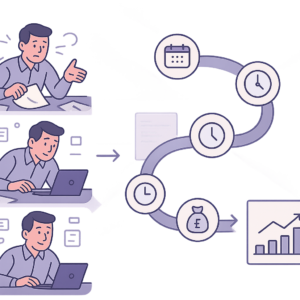
How to Automate Invoice Payment Chasing for UK Small Businesses: A Proven 5-Step Guide
How to Automate Supplier Onboarding for UK SMEs: Streamline Procurement & Ensure Compliance

How to Automate Inventory Management for UK SMEs: Reduce Stock Errors & Boost Efficiency
How to Automate Risk Assessment Workflows for UK SMEs: A Compliance Guide
How to Automate GDPR Data Retention Policies for UK SMEs: Delete Personal Data Lawfully
How to Automate Compliance Training Tracking for UK SMEs: A Step-by-Step Guide
- How to Automate Client Onboarding for UK SMEs: A Practical Guide

- How to Automate Insurance Claim Processing for UK SMEs: Streamline Approvals & Reduce Admin
- How to Automate Subscription Billing for UK SMEs: Reduce Churn & Streamline Recurring Payments
- How to Automate Health and Safety Incident Reporting for UK SMEs: Streamline Compliance & Reduce Liability
- How to Automate Purchase Order Approval Workflows for UK SMEs: Cut Delays & Boost Compliance