How to Automate Risk Assessment Workflows for UK SMEs: A Compliance Guide
Imagine slashing hours from manual risk assessments while ensuring your UK SME stays fully HSE compliant—without the headaches of paperwork and missed deadlines.
The Burden of Manual Risk Assessments
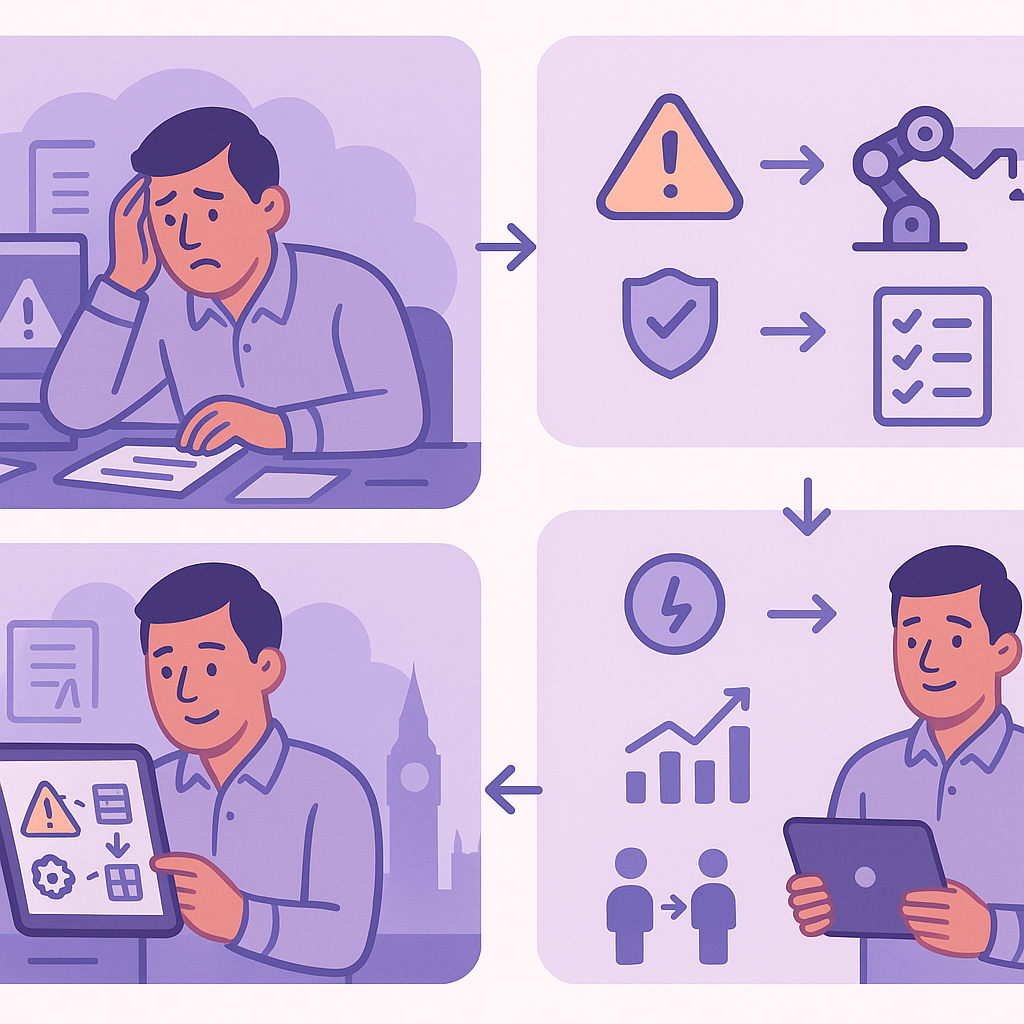
For UK SMEs, risk assessment automation UK SMEs is no longer optional; manual processes drain time, increase errors, and expose businesses to compliance risks under HSE regulations.
Many small business owners juggle health and safety duties with daily operations, leading to inconsistent assessments, overlooked hazards, and potential fines.
This guide shows how automation streamlines workflows, centralises data, and integrates reminders to make compliance effortless and scalable.
HSE Compliance Requirements for UK SMEs
Under the Health and Safety Executive (HSE) regulations, UK SMEs must conduct regular risk assessments to identify workplace hazards and implement control measures. The Management of Health and Safety at Work Regulations 1999 mandates that employers make suitable and sufficient assessments of risks to the health and safety of employees and others affected by their activities.

The Management of Health and Safety at Work Regulations 1999 requires ‘suitable and sufficient’ risk assessments. This means considering all foreseeable risks, not just obvious ones, and prioritising those affecting vulnerable workers.
Key requirements include documenting assessments in writing, especially for businesses with five or more employees, reviewing them whenever there are significant changes, and keeping records for at least inspection purposes. Failure to comply can result in enforcement notices, prohibition notices, or fines up to unlimited amounts in crown court, plus reputational damage.
SMEs often struggle due to limited resources, making it challenging to stay on top of frequencies like annual reviews or post-incident updates, which heightens the appeal of risk assessment automation UK SMEs solutions.
- Document all risk assessments in writing if employing 5+ staff.
- Review assessments regularly or after accidents, changes in process, or new equipment.
- Involve employees in the process and consult safety representatives.
- Records must be accessible for HSE inspections.
Pain Points of Manual Risk Assessments
Manual risk assessments plague UK SMEs with excessive paperwork, where managers spend hours filling forms, duplicating data, and filing documents that quickly become outdated or lost.
Error-prone processes lead to overlooked hazards, inconsistent evaluations, and forgotten follow-ups, amplifying risks as teams grow and operations expand across multiple sites.
The administrative burden diverts compliance officers from strategic duties, while scaling issues arise when hiring more staff without streamlined processes, potentially breaching HSE standards and inviting fines.

Ignoring manual process flaws can lead to HSE fines starting from £20,000+ for serious breaches, plus civil claims from incidents.
- Time wasted on repetitive data entry and form completion.
- Forgotten review schedules leading to non-compliance.
- Difficulty tracking changes and updates across documents.
- Increased risk of human error in hazard identification.
- Challenges in sharing assessments with remote or field teams.
- High storage costs for physical records.
Benefits of Risk Assessment Automation for UK SMEs
Risk assessment automation UK SMEs transforms compliance from a chore into a seamless process, saving hours weekly by digitising forms and automating data collection.
Improved accuracy comes from standardised templates and real-time validation, ensuring no hazards slip through while generating audit-ready reports instantly.
Scalability supports business growth, with centralised data accessible via mobile apps, reducing liability through proactive hazard flagging and automated notifications.
Automation can cut assessment time by up to 70%, freeing staff for core business activities.
- Significant time savings on assessments and reviews.
- Enhanced accuracy and consistency in evaluations.
- Real-time collaboration and mobile access for teams.
- Automatic reminders for reviews and follow-ups.
- Audit-ready digital trails for HSE inspections.
- Cost reductions from less paper and admin time.
Step-by-Step Guide to Automating Risk Assessment Workflows
Begin by mapping your current risk assessment process, identifying key stages like hazard spotting, risk scoring, control planning, and review scheduling.
Use no-code tools to create digital forms with fields for site details, hazards, likelihood, severity, and mitigations, then set up automated workflows triggered by submissions.
Integrate with calendars for review reminders and approval chains for managers, ensuring all actions are tracked in a central dashboard.
- 1. Choose a no-code automation platform (e.g., compatible with Google Workspace).
- 2. Design digital risk assessment forms with dropdowns for HSE categories.
- 3. Automate workflow: form submission → risk scoring → notify assessor → schedule review.
- 4. Set triggers for high-risk items: immediate manager alert and action log.
- 5. Integrate with email/SMS for follow-ups and calendar invites.
- 6. Test the workflow with a pilot assessment.
Essential Tools and Integrations for Automation
No-code platforms like Zapier, Make.com, or native tools in Google Workspace/Microsoft 365 enable risk assessment automation UK SMEs without developers.
Form builders such as Google Forms, Typeform, or Jotform integrate seamlessly, feeding data into spreadsheets or databases for analysis.
Key integrations include calendar apps for scheduling audits, email for notifications, and mobile apps for on-site reporting, often exporting to HSE-compliant PDF formats.
- Google Workspace/Microsoft 365 for forms and calendars.
- Zapier/Make for cross-app automations.
- Form tools: Google Forms (free), Typeform (user-friendly).
- Mobile apps for field audits (e.g., SafetyCulture).
- Reporting tools for HSE format exports.
Start with free tiers of Google Workspace or Microsoft 365 integrations—scalable and compliant for small teams.
Maintaining HSE Compliance in Automated Systems
Automated systems must include audit trails logging every change, user access logs, and data encryption to meet HSE and GDPR requirements.
Custom fields for HSE specifics like COSHH assessments or manual handling ensure completeness, while retention policies automate archiving for legal periods.
Training integrations via automated onboarding workflows keep staff updated, addressing fears that tech alters legal duties—automation enhances, not replaces, responsibility.
- Enable full audit trails and version history.
- Use role-based access controls.
- Encrypt data and ensure GDPR compliance.
- Customise for specific regs (e.g., PUWER, COSHH).
- Automate record retention and deletion.
Choose tools with UK data centres to comply with post-Brexit data sovereignty rules.
Measuring Success and Best Practices
Track KPIs such as assessment completion rates, average time per assessment, and number of high-risk items resolved to quantify automation impact.
Best practices include starting small with one department, gathering team feedback, and conducting quarterly workflow reviews to adapt to changes.
Regular measurement ensures ongoing HSE compliance and continuous improvement, turning risk assessment into a strategic advantage.
- Monitor KPIs: completion rate (>95%), time saved, incident reduction.
- Gather feedback via automated surveys.
- Review and update workflows quarterly.
- Scale gradually based on results.
- Document successes for leadership buy-in.
Aim for 50%+ reduction in manual assessment time within the first quarter.
Secure Compliance with Automated Risk Assessments
Embracing risk assessment automation UK SMEs empowers businesses to meet HSE requirements efficiently, minimising risks and maximising productivity.
By implementing structured workflows, essential tools, and best practices, SMEs can transform compliance from a burden into a competitive edge.
Consider consulting automation experts to tailor solutions to your operations, ensuring long-term safety and regulatory adherence.
Key points
- Manual risk assessments burden UK SMEs with time loss and compliance risks under HSE rules.
- Risk assessment automation UK SMEs delivers accuracy, efficiency, and scalability for safer operations.
- Implement workflows with digital forms, auto-scheduling, and integrations to centralise hazard management.
- Prioritise tools that support audit trails and data security to meet legal standards.
- Start automating today to reduce admin, protect your team, and focus on business growth.
- Regularly measure outcomes to refine processes and ensure ongoing compliance.
Frequently asked questions
Is risk assessment automation suitable for small UK businesses?
Yes, risk assessment automation is highly suitable for UK SMEs, as it reduces administrative burdens and scales with business growth without needing dedicated IT staff. The ease of implementation depends on factors such as your existing tools, data quality, and the clarity of your current processes.
How does automation ensure compliance with HSE regulations?
Automation maintains HSE compliance by enforcing standardised templates, scheduling regular reviews, generating audit trails, and centralising records for inspections. It helps meet requirements like documenting assessments and implementing controls, while allowing for employee involvement through notifications and approvals.
What about GDPR and data security in risk assessment automation?
Select tools with encryption, role-based access controls, and UK data centres to comply with GDPR alongside HSE needs. Automated systems can include data retention policies and consent tracking, but always verify features match your compliance obligations.
Can automation integrate with our existing business tools?
No-code platforms commonly integrate with tools like Google Workspace, Microsoft 365, calendars, and email systems used by UK SMEs. Compatibility varies based on your specific software, so testing integrations is key during setup.
What should I do if an automated risk assessment workflow fails?
Design workflows with fallback notifications, manual override options, and regular testing to minimise disruptions. Maintain audit logs to track issues, and conduct periodic reviews to refine the system for reliability.
Ready to Streamline Your Risk Assessments?
Get expert guidance from Business Automations UK to review and automate your HSE compliance workflows tailored to your SME. Start protecting your team and business more efficiently today.
This article is for general information only. It is not legal, financial, or compliance advice. If you are unsure about GDPR, HMRC, or regulatory obligations, speak to a qualified professional or reach out to us for more information.
Related Posts
How to Automate Client Onboarding for UK SMEs: A Practical Guide

How to Automate Insurance Claim Processing for UK SMEs: Streamline Approvals & Reduce Admin

How to Automate Subscription Billing for UK SMEs: Reduce Churn & Streamline Recurring Payments
How to Automate Health and Safety Incident Reporting for UK SMEs: Streamline Compliance & Reduce Liability
How to Automate Purchase Order Approval Workflows for UK SMEs: Cut Delays & Boost Compliance
How to Automate Vendor Invoice Processing for UK SMEs: Speed Up Payments & Reduce Errors
How to Automate Invoice Payment Chasing for UK Small Businesses: A Proven 5-Step Guide
How to Automate Supplier Onboarding for UK SMEs: Streamline Procurement & Ensure Compliance

How to Automate Inventory Management for UK SMEs: Reduce Stock Errors & Boost Efficiency
How to Automate Risk Assessment Workflows for UK SMEs: A Compliance Guide
How to Automate GDPR Data Retention Policies for UK SMEs: Delete Personal Data Lawfully
How to Automate Compliance Training Tracking for UK SMEs: A Step-by-Step Guide
- How to Automate Client Onboarding for UK SMEs: A Practical Guide

- How to Automate Insurance Claim Processing for UK SMEs: Streamline Approvals & Reduce Admin
- How to Automate Subscription Billing for UK SMEs: Reduce Churn & Streamline Recurring Payments
- How to Automate Health and Safety Incident Reporting for UK SMEs: Streamline Compliance & Reduce Liability
- How to Automate Purchase Order Approval Workflows for UK SMEs: Cut Delays & Boost Compliance