Why UK SMEs Need Vendor Invoice Processing Automation
UK SMEs lose precious time and money to manual vendor invoice processing – automation offers a smarter way to speed up payments and cut errors.
Why UK SMEs Need Vendor Invoice Processing Automation
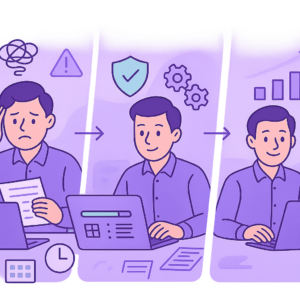
Vendor invoice processing automation UK SMEs rely on can transform chaotic accounts payable into efficient operations, but many still struggle with outdated manual methods that cause delays and mistakes.
Manual handling of supplier invoices involves tedious data entry, purchase order matching, approvals, and payments, tying up finance teams and risking errors that lead to overpayments or disputes.
For resource-stretched UK SMEs, these inefficiencies mean slower vendor payments, frustrated suppliers, potential compliance issues with GDPR, and missed opportunities for better cash flow.
Challenges of Manual Vendor Invoice Processing
Manual vendor invoice processing is a daily grind for many UK SMEs. Finance teams spend hours opening post or emails, scanning paper invoices, or downloading PDFs, then manually transcribing details like amounts, dates, VAT, and supplier information into accounting software.
This labour-intensive data entry is prone to human errors, such as mistyping figures or overlooking discrepancies between the invoice and original purchase order. Approval workflows often involve chasing managers via email or paper trails, leading to bottlenecks and delayed payments.
Without centralised tracking, visibility into invoice status is poor, making it hard to prioritise urgent payments or forecast cash flow accurately. For growing SMEs, these challenges multiply as invoice volumes increase, overwhelming limited staff resources.
- Time-consuming data entry: Up to 70% of processing time spent on manual input.
- Error rates: Common mistakes lead to incorrect payments or disputes with suppliers.
- Slow approvals: Email chains and manual sign-offs cause weeks-long delays.
- Lack of visibility: No real-time dashboard for pending invoices or payment due dates.
- Scalability issues: Inability to handle rising volumes without hiring more staff.

Relying on spreadsheets for tracking invites errors and data loss. Never skip purchase order matching, as it can lead to unauthorised payments.
Risks and Hidden Costs of Manual Processing
The costs of manual invoice processing extend far beyond staff time. Duplicate payments from overlooked entries can cost hundreds per incident, while late payments incur supplier penalties or strain relationships, potentially leading to higher prices or withheld supplies.
Fraud risks rise with paper-based or emailed invoices susceptible to forgery. Under UK regulations like GDPR, mishandling personal data on invoices (such as contact details) exposes businesses to fines up to 4% of turnover.
As SMEs scale, manual processes fail to keep pace, resulting in overtime pay, missed early payment discounts, and poor cash flow management that hampers growth.
- Financial losses: Overpayments, duplicates, and late fees add up to thousands annually.
- Compliance risks: GDPR breaches from insecure data storage or sharing.
- Fraud exposure: Altered invoices or fictitious suppliers go undetected.
- Opportunity costs: Staff tied to admin miss strategic tasks like supplier negotiations.
- Scalability limits: Processing time doubles with 20% more invoices, straining resources.
Invoice data often contains personal information. Manual filing without encryption risks hefty fines – ensure secure handling before automating.
What is Vendor Invoice Processing Automation for UK SMEs
Vendor invoice processing automation UK SMEs use involves software that digitises and streamlines the entire accounts payable cycle. Using optical character recognition (OCR) technology, it scans invoices to extract key data automatically, eliminating manual entry.
AI algorithms then match invoice details against purchase orders and contracts, flagging discrepancies for review. Automated workflows route approvals to the right people via email notifications or apps, with one-click approvals on mobile devices.
Seamless integration with popular UK accounting tools like Xero, QuickBooks, or Sage posts approved invoices directly to your ledger, handling VAT calculations and payments via BACS or Faster Payments.
- OCR data capture: Reads printed or digital invoices instantly.
- Intelligent matching: Compares to POs, receipts, and budgets.
- Automated approvals: Rules-based routing reduces human intervention.
- Accounting integration: Updates ledgers without re-keying data.
- Real-time reporting: Dashboards for AP metrics and forecasts.

– OCR for extraction
– AI matching engine
– Workflow engine for approvals
– API integrations for accounting software
– Secure cloud storage compliant with UK standards
The Automated Invoice Processing Workflow
An automated invoice processing workflow starts the moment a supplier sends an invoice, whether by email, post, or supplier portal. The system captures it digitally and kicks off processing without delay.
Data extraction happens in seconds, followed by validation against your records. If everything matches, it proceeds to approval; exceptions are routed to the relevant approver with context.
Once approved, the invoice is coded to the right accounts, VAT is verified per Making Tax Digital rules, and it’s queued for payment. The whole process typically takes hours instead of days.
- 1. Receipt: Email/post/portal ingestion.
- 2. Data extraction: OCR pulls amounts, dates, VAT, line items.
- 3. Validation & matching: Auto-check against PO/receipt/contract.
- 4. Approval routing: Sent to authoriser based on rules (e.g., amount thresholds).
- 5. Posting & payment: Integrates to accounting, triggers BACS payment.
- 6. Archiving: Secure storage with audit trail for compliance.
Choosing AP Automation Tools for UK SMEs
When choosing AP automation tools, UK SMEs should prioritise solutions tailored to small business needs: easy setup, affordable scaling, and robust UK compliance. Look for GDPR certification, support for UK VAT/Making Tax Digital, and BACS payment integration.
Key features include mobile approvals, unlimited users for team collaboration, and API connectivity to your existing accounting software. Avoid overly complex enterprise tools that require IT specialists – opt for no-code platforms with intuitive dashboards.
Vendor support matters: Choose providers with UK-based helpdesks, free trials, and proven SME case studies to ensure smooth implementation.
- GDPR and UK data residency compliance.
- UK VAT and MTD compatibility.
- Seamless Xero/Sage/QuickBooks integration.
- Mobile app for on-the-go approvals.
- Scalable pricing without user limits.
- Excellent customer support and onboarding.
Steer clear of tools without UK tax support or those locking you into long contracts. Always verify integration claims with a demo.
Implementing Invoice Automation: Best Practices
Successful implementation starts with auditing your current AP process: map workflows, identify bottlenecks, and gather team input. Select a tool that fits, then pilot with a small supplier group.
Onboard suppliers by sharing your digital invoice submission portal or email rules. Train staff via short sessions, focusing on approvals and exception handling. Test thoroughly with historical invoices before going live.
Monitor key metrics post-launch: touchless processing rate, cycle time reduction, and error rates. Adjust rules as needed and celebrate quick wins to build buy-in.
- Audit current process and KPIs.
- Choose and configure the tool.
- Supplier onboarding and communication.
- Team training and change management.
- Pilot, test, and full rollout.
- Ongoing monitoring and optimisation.
Align with Making Tax Digital for VAT reporting. Use BACS for payments to comply with UK banking standards.
Streamline Your Accounts Payable Today
Vendor invoice processing automation UK SMEs adopt can revolutionise accounts payable, slashing processing times by up to 80% and virtually eliminating errors. By automating data capture, matching, and approvals, finance teams reclaim hours for higher-value work.
Addressing manual processing challenges early prevents costly risks like overpayments, compliance fines, and supplier disputes. With proven workflows and SME-friendly tools, implementation is straightforward and scalable.
Consider reviewing your AP processes with automation experts to identify quick wins. Streamlining payments today positions your UK SME for better cash flow and sustainable growth.
Key points
- Manual vendor invoice processing creates delays, errors, and compliance risks for UK SMEs.
- Automation accelerates payments, improves accuracy, and frees up finance teams for strategic work.
- Vendor invoice processing automation UK SMEs can implement via proven workflows and tools.
- Prioritise GDPR-compliant solutions with easy integration to accounting software.
- Start with a process audit to identify quick wins and ensure smooth adoption.
- Act now to enhance cash flow and support business growth.
Frequently asked questions
Is vendor invoice processing automation suitable for small UK businesses?
Yes, vendor invoice processing automation is well-suited for UK SMEs, offering scalable solutions that integrate seamlessly with popular accounting software like Xero, QuickBooks, and Sage. The ease of adoption depends on factors such as your existing processes, data quality, and team readiness, making it practical even for smaller operations without dedicated IT support.
How does invoice automation ensure GDPR compliance?
Reputable automation tools for UK businesses incorporate GDPR-compliant features like data encryption, secure cloud storage with UK data residency, and role-based access controls. Compliance ultimately relies on proper configuration, staff training, and choosing certified providers to safeguard personal data in supplier invoices.
What happens if an automated invoice doesn’t match the purchase order?
Automation systems use AI to detect mismatches and route exceptions to the appropriate approver with full context and highlighting of discrepancies. This exception-handling workflow maintains accuracy and provides an audit trail, blending automation efficiency with necessary human oversight.
Which accounting software works best with vendor invoice automation?
Most AP automation tools integrate smoothly with UK favourites like Xero, Sage, and QuickBooks via APIs, automating data posting and VAT handling. Compatibility depends on the specific tool, so testing integrations during trials ensures a fit with your setup.
How long does it take to set up invoice processing automation?
Setup time varies based on your current processes, invoice volume, and integration needs, typically involving an initial audit, configuration, and testing phase. Many SMEs achieve a pilot rollout in weeks, with full benefits emerging as teams adapt.
Ready to Streamline Your Invoices?
Discover how vendor invoice processing automation can fit your UK SME. Reach out to Business Automations UK for personalised guidance on reviewing and optimising your accounts payable.
This article is for general information only. It is not legal, financial, or compliance advice. If you are unsure about GDPR, HMRC, or regulatory obligations, speak to a qualified professional or reach out to us for more information.
Related Posts
How to Automate Client Onboarding for UK SMEs: A Practical Guide

How to Automate Insurance Claim Processing for UK SMEs: Streamline Approvals & Reduce Admin

How to Automate Subscription Billing for UK SMEs: Reduce Churn & Streamline Recurring Payments
How to Automate Health and Safety Incident Reporting for UK SMEs: Streamline Compliance & Reduce Liability
How to Automate Purchase Order Approval Workflows for UK SMEs: Cut Delays & Boost Compliance
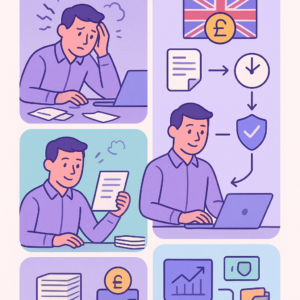
How to Automate Vendor Invoice Processing for UK SMEs: Speed Up Payments & Reduce Errors
How to Automate Invoice Payment Chasing for UK Small Businesses: A Proven 5-Step Guide
How to Automate Supplier Onboarding for UK SMEs: Streamline Procurement & Ensure Compliance

How to Automate Inventory Management for UK SMEs: Reduce Stock Errors & Boost Efficiency
How to Automate Risk Assessment Workflows for UK SMEs: A Compliance Guide
How to Automate GDPR Data Retention Policies for UK SMEs: Delete Personal Data Lawfully
How to Automate Compliance Training Tracking for UK SMEs: A Step-by-Step Guide
- How to Automate Client Onboarding for UK SMEs: A Practical Guide

- How to Automate Insurance Claim Processing for UK SMEs: Streamline Approvals & Reduce Admin
- How to Automate Subscription Billing for UK SMEs: Reduce Churn & Streamline Recurring Payments
- How to Automate Health and Safety Incident Reporting for UK SMEs: Streamline Compliance & Reduce Liability
- How to Automate Purchase Order Approval Workflows for UK SMEs: Cut Delays & Boost Compliance