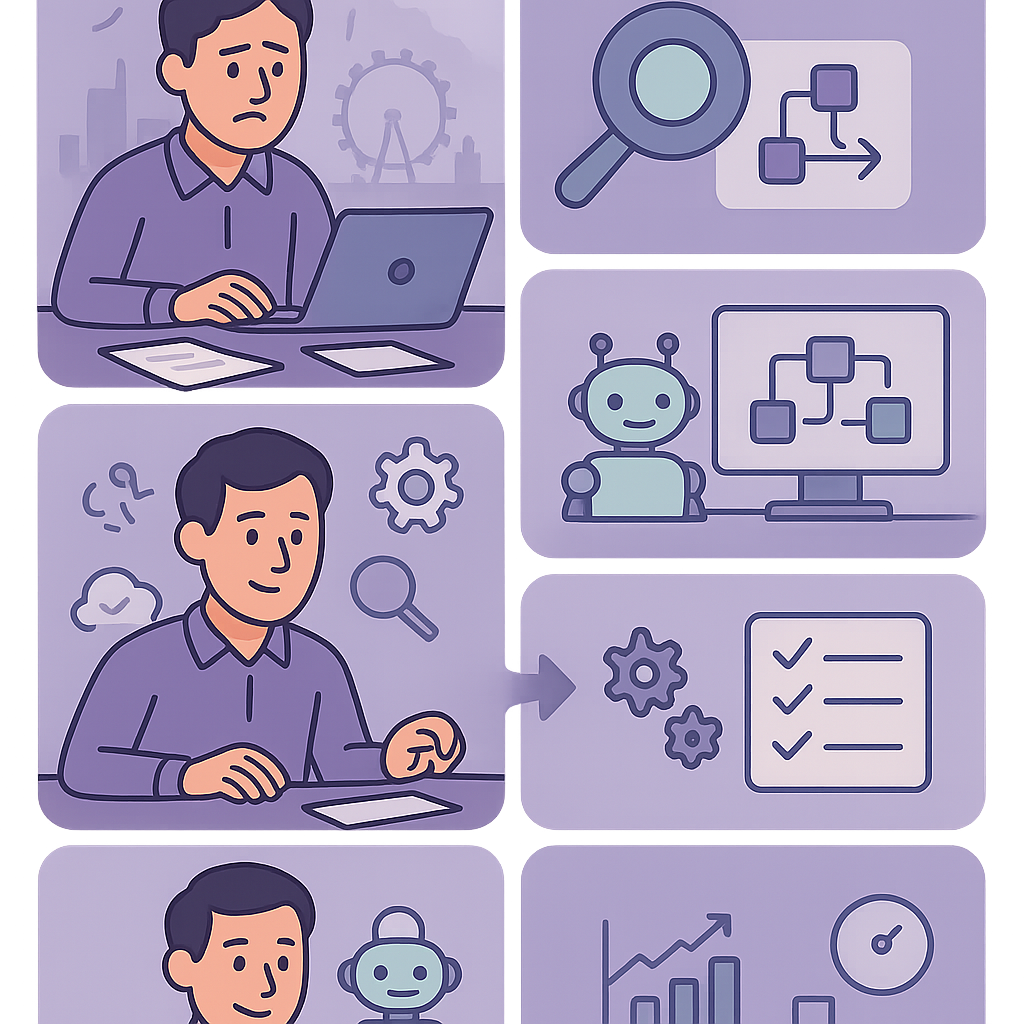
The Automation Dilemma Facing UK Small Businesses
As a UK small business owner, are you drowning in repetitive admin tasks while wondering what to automate first UK small businesses to finally reclaim your time and focus on growth?
Step 1: Assess Your Current Processes and Pain Points
Begin by mapping out your daily and weekly workflows. List every task your team performs, from customer communications to financial admin. Focus on processes that are repetitive, manual, and prone to human error, such as data entry from emails into spreadsheets or sending follow-up reminders.
To quantify pain points, track the time spent on these tasks over a week. Use a simple spreadsheet to log hours and note frustrations like delays in invoicing that affect cash flow. Common bottlenecks in UK small businesses include manual payroll updates, customer query handling, and inventory checks.
Ask key questions: Does this task happen frequently? Does it block other work? Is it error-prone? For instance, if chasing late payments takes hours weekly, it’s a prime candidate. This assessment reveals hidden time sinks, often reclaiming 10-20 hours per week for growth activities.

- Document all tasks with estimated time per instance and frequency.
- Identify errors or delays caused by manual handling.
- Note tasks involving multiple tools or departments for integration potential.
- Prioritise those affecting revenue, like sales follow-ups or billing.

Use this structure: Task Name | Frequency (daily/weekly) | Time per Task (mins) | Pain Level (low/med/high) | Automation Potential (yes/no). Fill for top 10 tasks to start.
- Set aside 1-2 hours for a full workflow audit.
- Involve team members for accurate insights.
- Calculate total weekly time lost to manual tasks.
Step 2: Key Criteria for Prioritisation
Once assessed, score each process using four key criteria: frequency, business impact, implementation complexity, and estimated ROI. Frequency measures how often the task occurs—daily tasks score highest. Impact assesses effects on revenue, customer satisfaction, or compliance.
Complexity evaluates setup effort; prefer no-code tools over custom development. ROI combines time savings with cost reductions, like automating reminders to cut late payments by 30%. Create a simple scoring matrix (1-10 per criterion) to rank objectively.
For example, automated invoice reminders score high: frequent, revenue-critical, low complexity via tools like Zapier. This method ensures you target processes delivering measurable gains first, avoiding resource drain on low-value automations.
- Frequency: How often? (e.g., daily = 10 points)
- Impact: Revenue/customer effect? (High = 10)
- Complexity: Setup ease? (Low = 10)
- ROI Potential: Savings vs cost? (High = 10)
- Total score: Sum to prioritise top 3.
Invoice Reminders: Freq 9, Impact 10, Complexity 8, ROI 9 = 36 points.
Social Posting: Freq 7, Impact 6, Complexity 9, ROI 7 = 29 points.
- Score your top 5 processes using the matrix.
- Select the highest-scoring for your first project.
- Reassess quarterly as business evolves.
What to Automate First for UK Small Businesses: High-Impact, Low-Complexity Examples
Start with invoicing and payment reminders: Manually creating and chasing invoices ties up hours and risks cash flow issues. Automate via Zapier connecting your accounting software (e.g., Xero) to email—new invoice triggers client email, overdue sends reminders. Saves 5-10 hours weekly, reduces bad debts.
Customer onboarding is another winner: Forms auto-populate CRMs like HubSpot, sending welcome packs and scheduling calls. Eliminates data entry errors, speeds setup from days to minutes. Ideal for service businesses.
Social media scheduling and lead capture: Tools like Buffer automate posts; form submissions trigger CRM entries. Low setup, high visibility gains without daily effort. These examples prioritise quick wins under GDPR by limiting data flows.
- Invoice generation and reminders (tools: Xero + Zapier)
- Email follow-ups for leads (Gmail + CRM)
- Customer query routing (forms to Slack/Teams)
- Basic reporting dashboards (Google Sheets automations)
No-code options: Zapier (free tier), Make.com, or Microsoft Power Automate. Integrate with UK staples like Xero, QuickBooks.
- Pick one example matching your business.
- Test with historical data before live.
- Document the workflow for team handover.
Step 4: Addressing Risks and Ensuring Compliance
Automation risks include data inaccuracies from poor integrations, leading to wrong invoices or compliance breaches. In the UK, GDPR mandates secure data handling—ensure automations only process necessary personal data with consent.
Start small: pilot test on subset data, monitor for errors. Common issues: duplicate entries or failed triggers disrupting workflows. Regular audits prevent drift as business changes.
Build safeguards: use tools with UK data centres, log all actions, and train staff. This approach minimises disruptions while unlocking efficiency, ensuring long-term reliability.
- Data mapping: Track flows to avoid leaks.
- Testing: Simulate 50+ runs before live.
- Monitoring: Set alerts for failures.
- Backup: Manual overrides ready.

Pause if inaccuracies occur or data flows unconsented. Review integrations quarterly for compliance. Non-compliance fines start at £17.5m or 4% turnover.
- Conduct GDPR data audit on target process.
- Implement error logging and alerts.
- Schedule monthly reviews post-launch.
Step 5: Your Practical Implementation Roadmap
Week 1: Select tool and map workflow. Sign up for Zapier free tier, diagram steps (e.g., invoice created → email sent).
Week 2-3: Build and test. Connect apps, run simulations with dummy data. Involve one team member for feedback, fix issues iteratively.
Week 4: Go live with pilot group, monitor daily. Train staff via short demo (10 mins). Scale after 2 weeks stable. This phased rollout suits resource-limited UK SMEs.
Post-launch: Document fully, set review cadence. Expect 80% time savings initially, refining to 95%.
- Choose tool matching your stack.
- Build in sandbox mode first.
- Pilot with 10-20% volume.
- Train and document.
Week 1: Plan | Week 2: Build/Test | Week 3: Pilot | Week 4: Launch & Review.
- Map workflow visually.
- Test end-to-end 20 times.
- Gather team feedback pre-launch.
- Set up monitoring dashboard.
Step 6: Measuring Success and Iterating
Track metrics: time saved (log before/after), error rate drop, revenue uplift (e.g., faster payments). Use simple sheets or tool dashboards. Aim for 20-50% efficiency gain in first month.
Review monthly: Check logs for failures, survey team satisfaction. Adjust triggers or add steps as needs evolve, like new VAT rules.
Iteration ensures longevity—many automations improve 2x over time. This data-driven loop turns one-off wins into scaled efficiency.
Celebrate wins to build buy-in, fostering a culture of continuous optimisation.
- Time saved: Hours/week.
- Error reduction: % fewer mistakes.
- Cost savings: £/month.
- Customer feedback: NPS uplift.
Track: Pre-automation time | Post-time | Savings | Errors before/after.
- Baseline metrics pre-launch.
- Monthly review meetings.
- Optimise based on data.
- Expand to next priority.
Your Next Steps to Automation Success
Armed with this framework, deciding what to automate first UK small businesses becomes straightforward. Start your audit today to uncover quick wins that free up time for strategic growth, all while staying compliant with UK regulations.
Automation isn’t a one-off; it’s an evolving practice. Measure diligently, iterate, and expand to transform operations sustainably.
Consider consulting experts for complex setups, ensuring tailored, risk-free implementation for your unique needs.
Key points
- Audit your workflows to pinpoint repetitive tasks draining time and resources.
- Prioritise using criteria like impact, frequency, and complexity for high-ROI wins.
- What to automate first UK small businesses: start with invoicing, reminders, and basic CRM updates for quick efficiency boosts.
- Always factor in risks and GDPR compliance to avoid costly mistakes.
- Follow a structured roadmap and measure results to scale automation confidently.
- Automation isn’t about doing more—it’s about freeing your team for growth-focused work.
Frequently asked questions
Is automation suitable for small UK businesses with limited resources?
Yes, process automation is well-suited to small UK businesses, particularly for repetitive tasks such as invoicing and customer reminders that consume significant time. No-code tools make implementation accessible without large budgets or IT expertise, though the exact effort depends on your current systems and process clarity.
How do I decide what to automate first in my business?
Begin by auditing your workflows to identify tasks that are frequent, high-impact, error-prone, and low-complexity. Use a prioritisation matrix scoring frequency, business impact, setup ease, and potential ROI to rank opportunities objectively, ensuring you target quick wins aligned with your operations.
What GDPR compliance steps are needed before automating processes?
Under UK GDPR, conduct a data audit to map personal data flows, ensure only necessary data is processed with appropriate consents, and implement safeguards like secure tools and logging. This minimises risks of breaches and fines, tailored to your business’s data handling needs.
How long does it typically take to implement the first automation?
Implementation time varies based on process complexity, tool choice, and team familiarity, often taking 1-4 weeks following a structured roadmap of planning, building, testing, and piloting. Starting with simple workflows accelerates the process while building confidence.
What should I do if an automation causes problems or fails?
Build in monitoring alerts, error logging, and manual override options from the outset. Conduct regular reviews and pilots to catch issues early, pausing if data inaccuracies or compliance risks arise, and iterate based on performance data to maintain reliability.
Unsure What to Automate First?
Contact Business Automations UK for a tailored process audit to identify high-impact opportunities and get started safely, compliant with UK regulations.
This article is for general information only. It is not legal, financial, or compliance advice. If you are unsure about GDPR, HMRC, or regulatory obligations, speak to a qualified professional or reach out to us for more information.
Related Posts
How to Automate Client Onboarding for UK SMEs: A Practical Guide

How to Automate Insurance Claim Processing for UK SMEs: Streamline Approvals & Reduce Admin
How to Automate Subscription Billing for UK SMEs: Reduce Churn & Streamline Recurring Payments
How to Automate Health and Safety Incident Reporting for UK SMEs: Streamline Compliance & Reduce Liability
How to Automate Purchase Order Approval Workflows for UK SMEs: Cut Delays & Boost Compliance
How to Automate Vendor Invoice Processing for UK SMEs: Speed Up Payments & Reduce Errors
How to Automate Invoice Payment Chasing for UK Small Businesses: A Proven 5-Step Guide
How to Automate Supplier Onboarding for UK SMEs: Streamline Procurement & Ensure Compliance

How to Automate Inventory Management for UK SMEs: Reduce Stock Errors & Boost Efficiency
How to Automate Risk Assessment Workflows for UK SMEs: A Compliance Guide
How to Automate GDPR Data Retention Policies for UK SMEs: Delete Personal Data Lawfully
How to Automate Compliance Training Tracking for UK SMEs: A Step-by-Step Guide
- How to Automate Client Onboarding for UK SMEs: A Practical Guide

- How to Automate Insurance Claim Processing for UK SMEs: Streamline Approvals & Reduce Admin
- How to Automate Subscription Billing for UK SMEs: Reduce Churn & Streamline Recurring Payments
- How to Automate Health and Safety Incident Reporting for UK SMEs: Streamline Compliance & Reduce Liability
- How to Automate Purchase Order Approval Workflows for UK SMEs: Cut Delays & Boost Compliance